
Missions
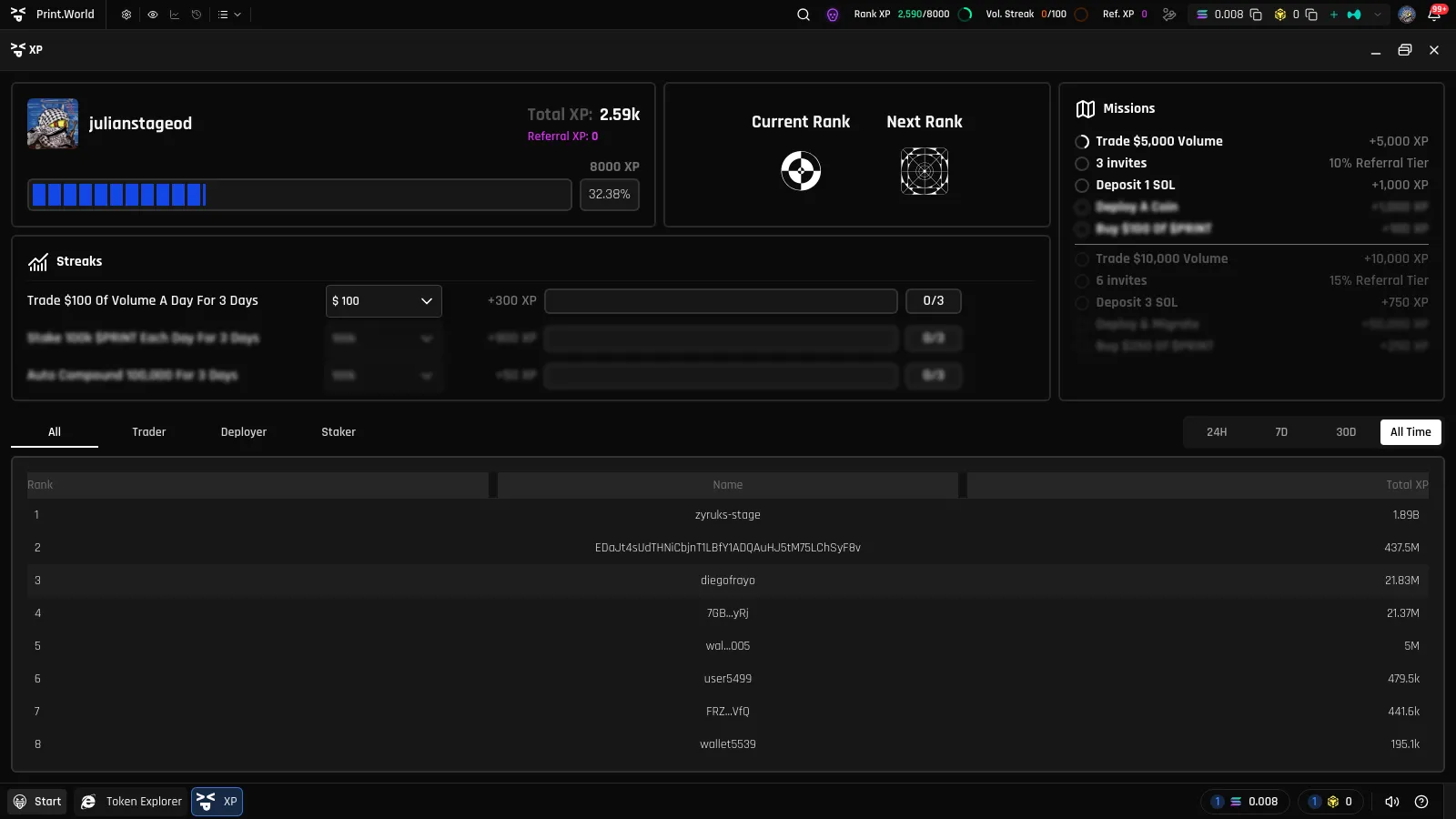
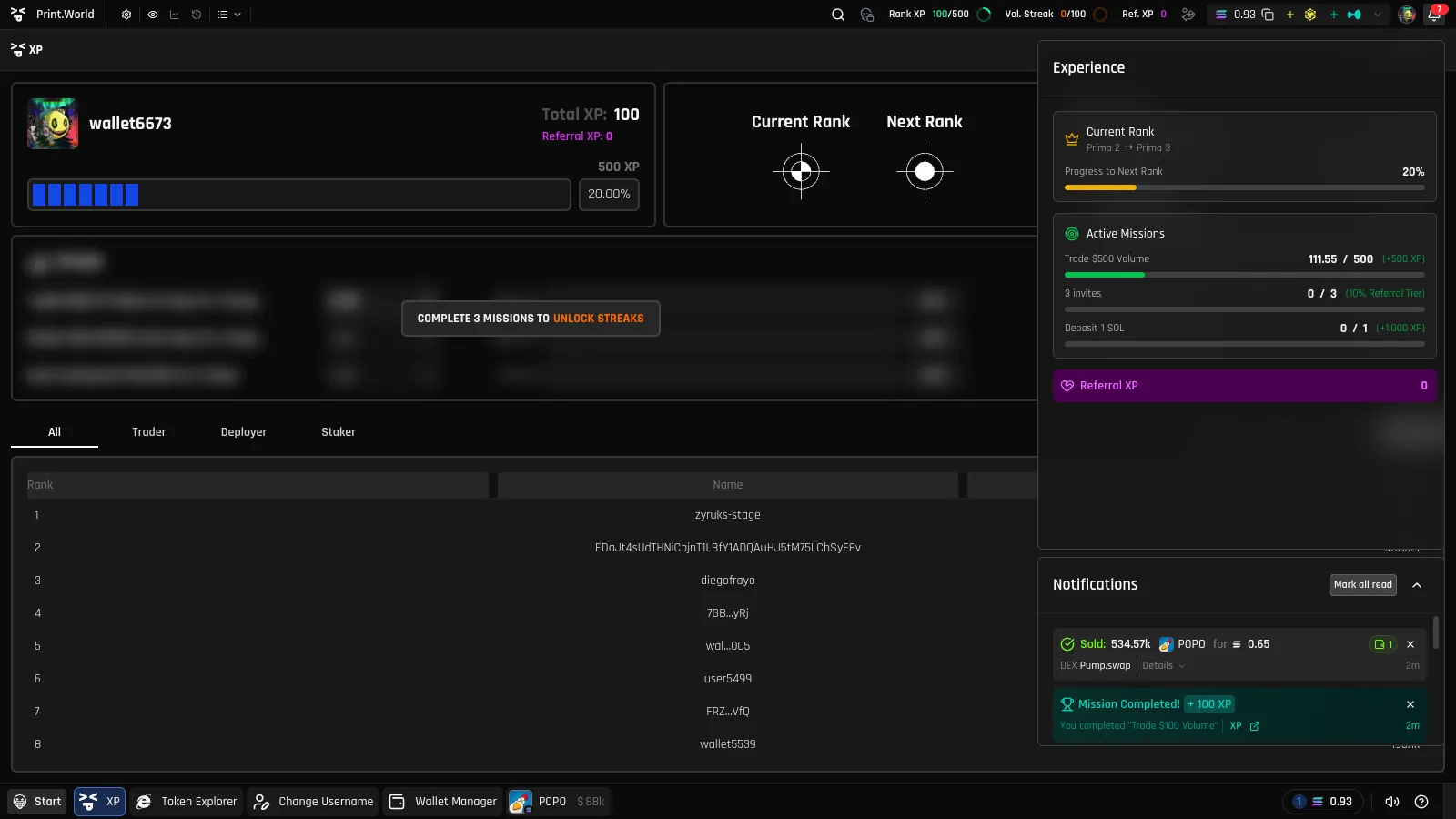
Missions are objectives that reward you with XP when completed — print.world’s trading missions system. They cover the core activities on the platform — trading, depositing, referring friends, staking, and deploying tokens — and progress updates live as you use it.
How to Unlock Missions
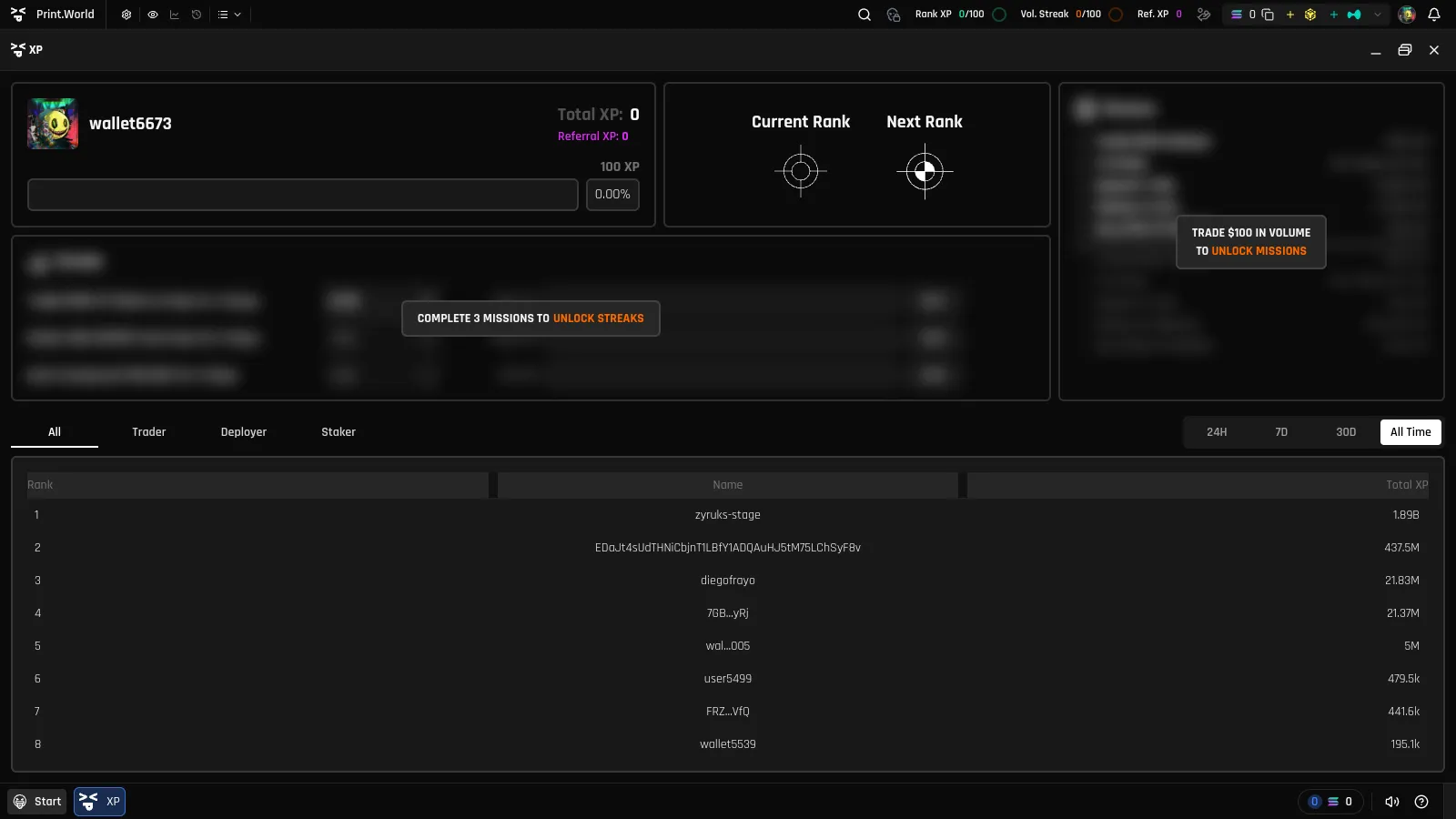
Section titled “How to Unlock Missions”Missions start locked for new accounts. To unlock them, trade $100 in volume on the platform:
-
While locked, the Missions widget is blurred with the message “Trade $100 in volume to unlock missions”. Token pages also show a banner tracking your progress toward the $100 goal.
-
Trade until your cumulative volume reaches $100. Any trading in the Trading app counts.
-
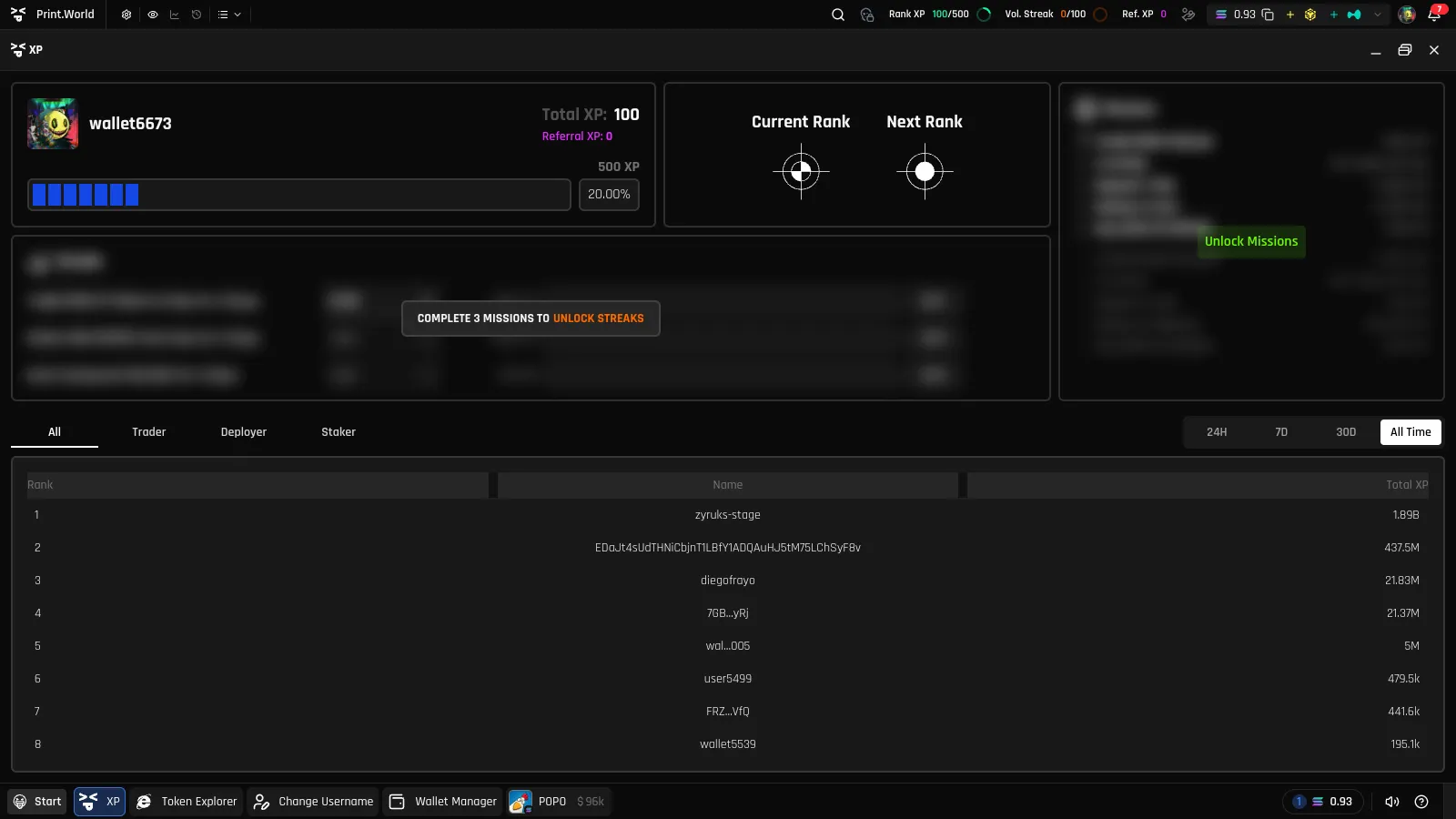
Once eligible, a green Unlock Missions button appears in the XP panel — and the token-page banner switches to “XP Missions Ready. Click to unlock missions.”
-
Click Unlock Missions. Your missions become active and start tracking immediately.
The Missions Banner on Token Pages
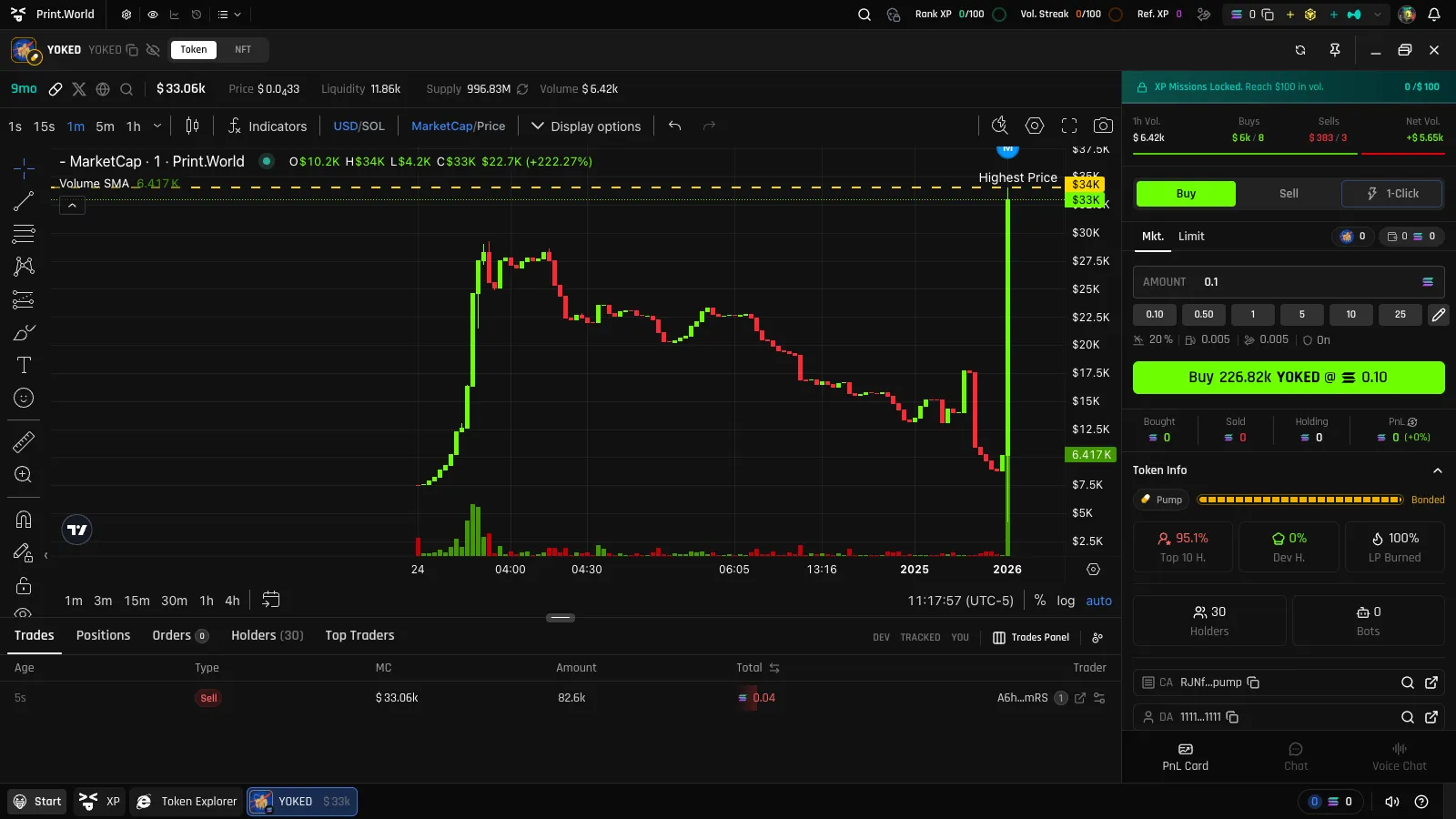
Section titled “The Missions Banner on Token Pages”While your missions are still locked, every token page’s trade area shows a compact missions banner with a live progress bar toward the $100 goal (“XP Missions Locked. Reach $100 in vol.”). When you become eligible, it pulses with “XP Missions Ready. Click to unlock missions.” — clicking it opens the XP panel. The banner disappears once missions are unlocked.
The Five Mission Types
Section titled “The Five Mission Types”| Mission type | What it asks |
|---|---|
| Trade | Trade the specified volume amount to complete the mission |
| Deposit | Deposit SOL to your trading wallet |
| Referral | Earn a percentage of the trade-volume XP from friends you invite |
| Stake | Stake $PRINT tokens to earn passive XP |
| Deploy | Create and deploy your own token |
Each mission row shows a circular progress ring, the mission’s name, and the XP it awards on completion.
Sequential Mission Chains
Section titled “Sequential Mission Chains”Missions within each type form a chain: you see your active mission plus a preview of the next one, which stays blurred until you complete the current step. Finishing a mission automatically activates the next one in that type’s chain — so each mission type keeps offering a fresh, harder objective as you progress.
Earning the Reward
Section titled “Earning the Reward”There is no claim step — XP is credited automatically the moment a mission completes. You’ll get:
- A mission completed notification (with sound) showing the XP earned
- Your Total XP and rank progress updating instantly across the panel and top bar
- The next mission in the chain unblurring and going live
What’s Next
Section titled “What’s Next”- Streaks — daily targets that keep paying XP
- Ranks — where all that XP takes you
- Referral XP — the referral mission in depth