
Wallet — Your Solana Trading Wallet
When you create a print.world account, the platform generates a Print Wallet for you — an embedded Solana trading wallet that lives inside the platform and powers everything you do: trading, minting, launching, and earning XP. You don’t need a browser extension to use it, and you can fund it from any external wallet or exchange.
This section covers everything about holding and moving funds. For portfolio value, profit and loss, and your trade history, see the Account app — those live there, not in the wallet surfaces.
Where to Find Your Wallet
Section titled “Where to Find Your Wallet”Your wallet shows up in a few places across the platform:
The Top Bar
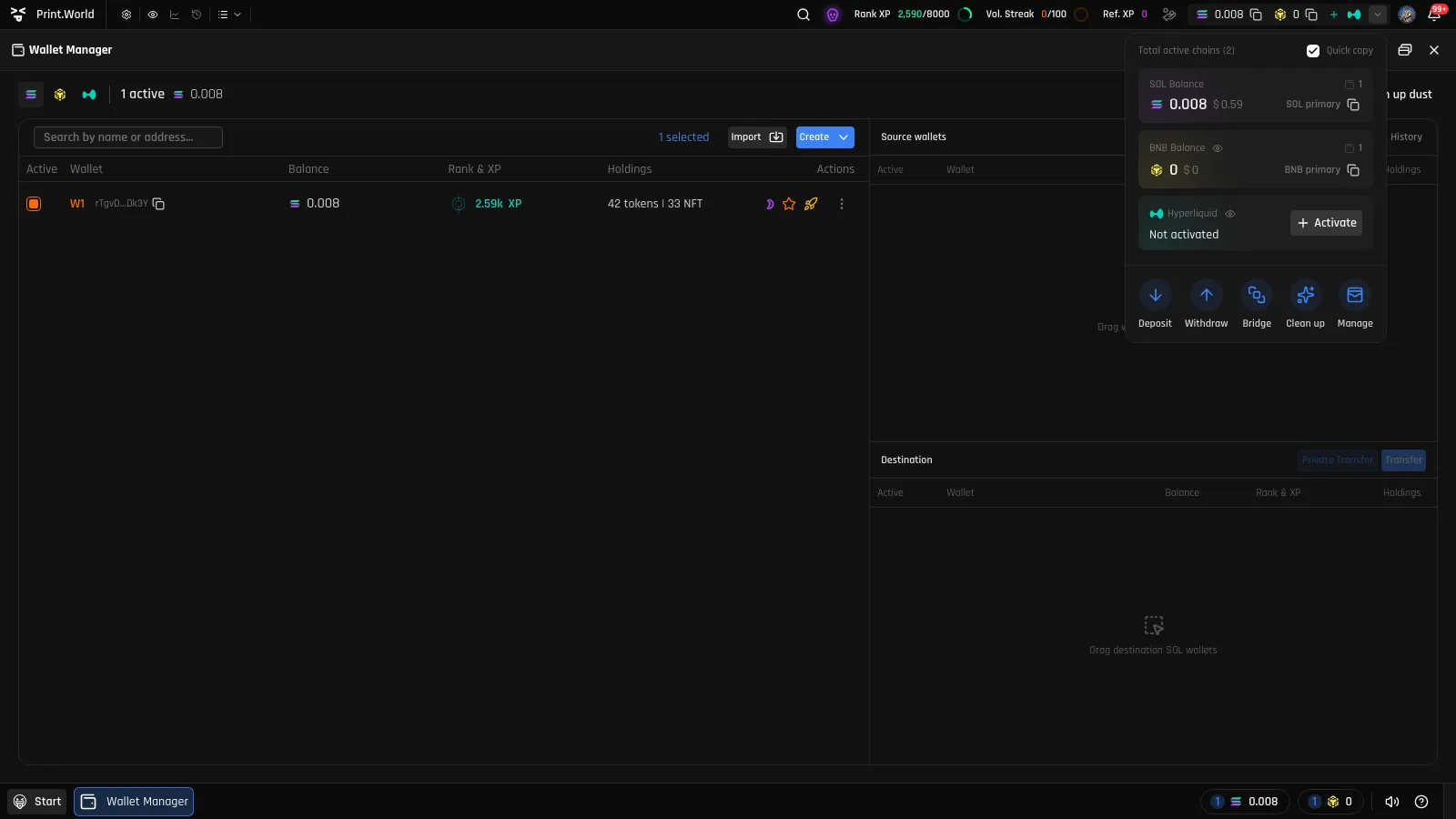
Section titled “The Top Bar”The top bar always shows your balances — one chip per activated chain with its native balance. Clicking a chip opens the wallet drawer, and the chevron next to the chips opens the wallet balance popover:
- A row per chain with the native balance, its USD value, your wallet count, and a copy button for that chain’s primary address
- Eye toggles to hide chains you don’t want in the top bar (collapsed under “Hidden from top bar”)
- Activate buttons for chains you haven’t set up yet
- Quick actions: Deposit, Withdraw, Bridge, Clean up, and Manage (which opens the Wallet Manager)
The Assets Manager Drawer
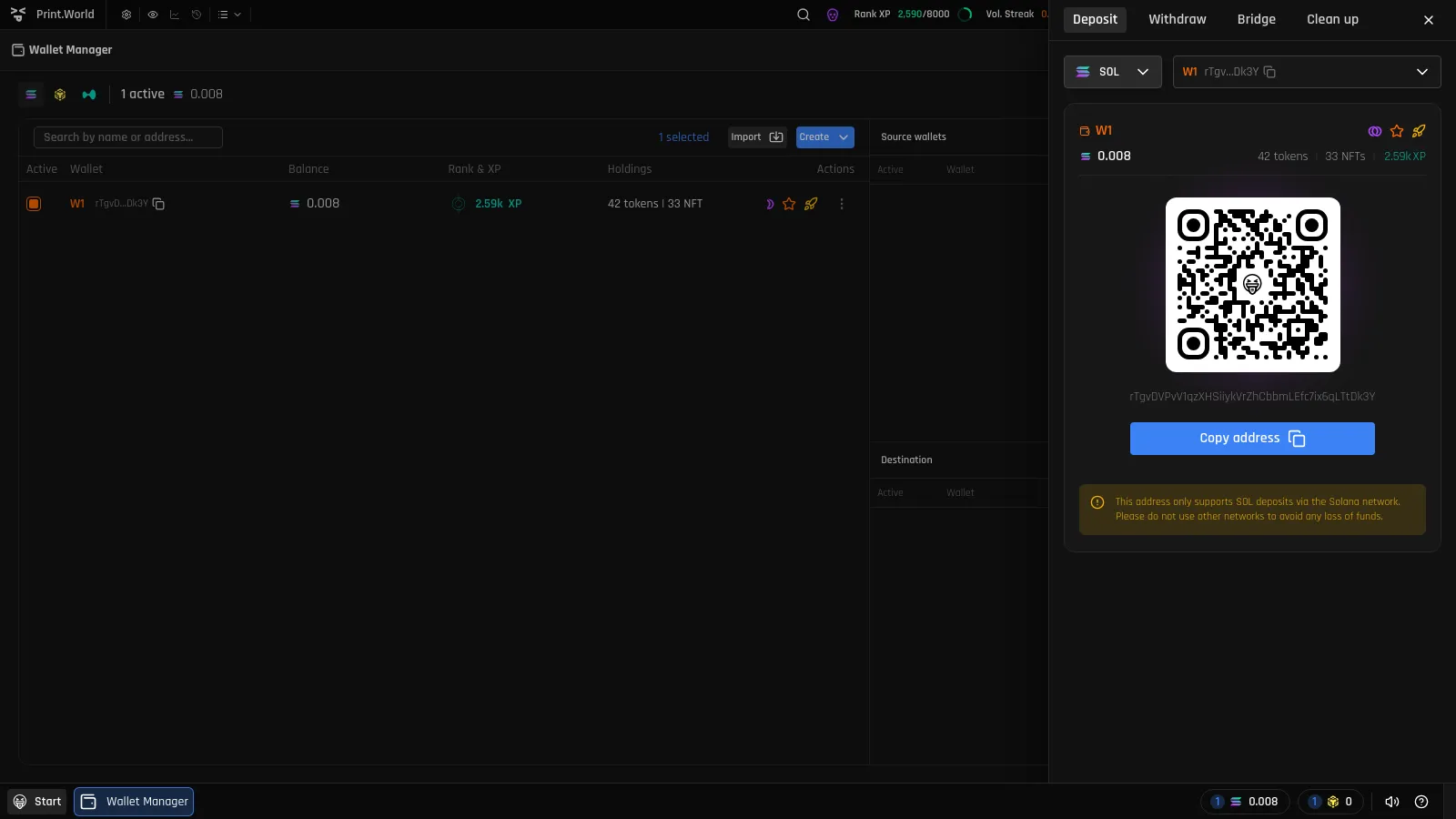
Section titled “The Assets Manager Drawer”Clicking a balance chip or any of the popover actions opens a drawer on the right side of the screen with tabs for the core money-moving flows:
- Deposit — receive funds with a QR code and address
- Withdraw — send funds to an external address
- Bridge — move funds between chains
- Clean up — reclaim value from dust and empty token accounts
The Wallet Window
Section titled “The Wallet Window”A compact Wallet window is also available from the desktop, showing your balance and wallet address at a glance, with the address expanding on focus and a one-click copy button.
The Wallet Manager
Section titled “The Wallet Manager”The Wallet Manager is a full app for power users who run more than one wallet: create and import wallets, organize them into groups, assign roles, and move funds between your own wallets. See Wallet Manager.
Embedded vs. External Wallets
Section titled “Embedded vs. External Wallets”print.world distinguishes between two kinds of wallets:
- Your Print Wallet (embedded) — generated by the platform when you sign up. This is where your trading balances live and what every wallet surface on this page shows. You are shown its private key at creation and can export it later.
- External wallets (Phantom and others) — used to sign in and verify ownership. Connecting one does not move its funds into print.world; to trade, you deposit funds into your Print Wallet.
See Connecting Your Wallet for the sign-in side of this.
Using Multiple Chains
Section titled “Using Multiple Chains”Solana is your first chain. Additional chains each get their own embedded wallet, created on demand: press Activate on a chain (in the top bar, the balance popover, or the Withdraw tab), store the new wallet’s private key, and fund it.
What Lives in Account Instead
Section titled “What Lives in Account Instead”To keep things in one place, the following are documented under Account, not here:
- Portfolio value and PnL — see also PnL in the Trading docs
- Trade and transaction history
- Your NFT gallery (wallet surfaces only show NFT counts)
Tracking other people’s wallets is a separate app entirely — see Wallet Tracker.