
Security & Private Keys
Every print.world wallet — your Print Wallet from sign-up, each per-chain wallet you activate, and any wallet you create in the Wallet Manager — is controlled by a private key. Whoever holds a wallet’s private key has full control of its funds. This page covers how you receive, export, and protect those keys.
Storing Your Private Key at Sign-Up
Section titled “Storing Your Private Key at Sign-Up”When you create your account, the platform generates your Print Wallet and walks you through securing it before you can continue (see Your Print Wallet for the full onboarding flow):
-
Reveal your private key. The key is shown once during onboarding — it gives full access to your wallet.
-
Store it safely. You can Show, Copy, or Download the key as a file. Save it somewhere secure and offline.
-
Confirm. Two mandatory checkboxes confirm you’ve stored the key and understand the responsibility before you can proceed.
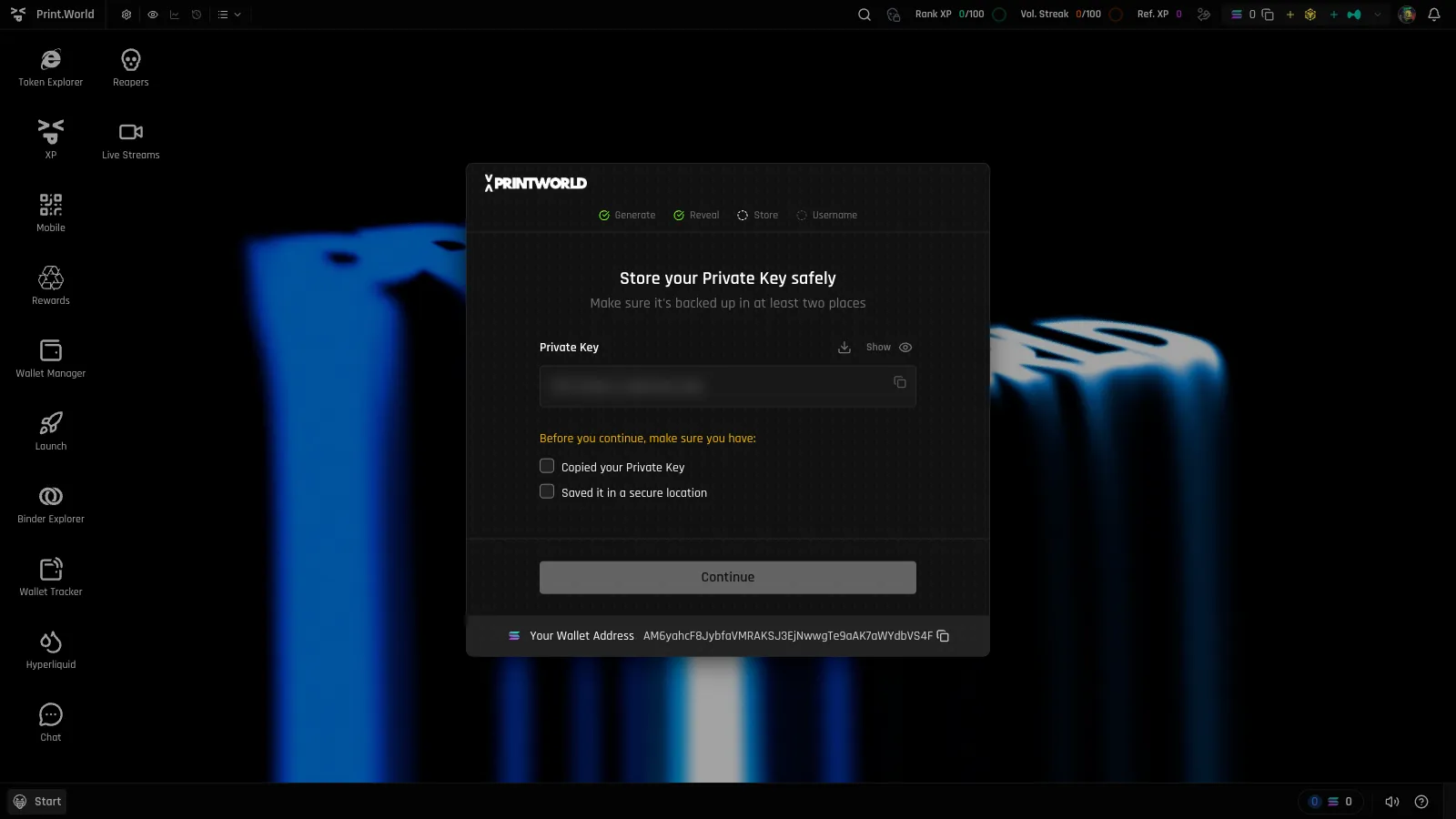
The same pattern repeats whenever you activate a new chain: each chain gets its own wallet with its own private key, shown once with a storage confirmation. Store every key — one per chain, plus one for each wallet you create later.
How to Export a Private Key
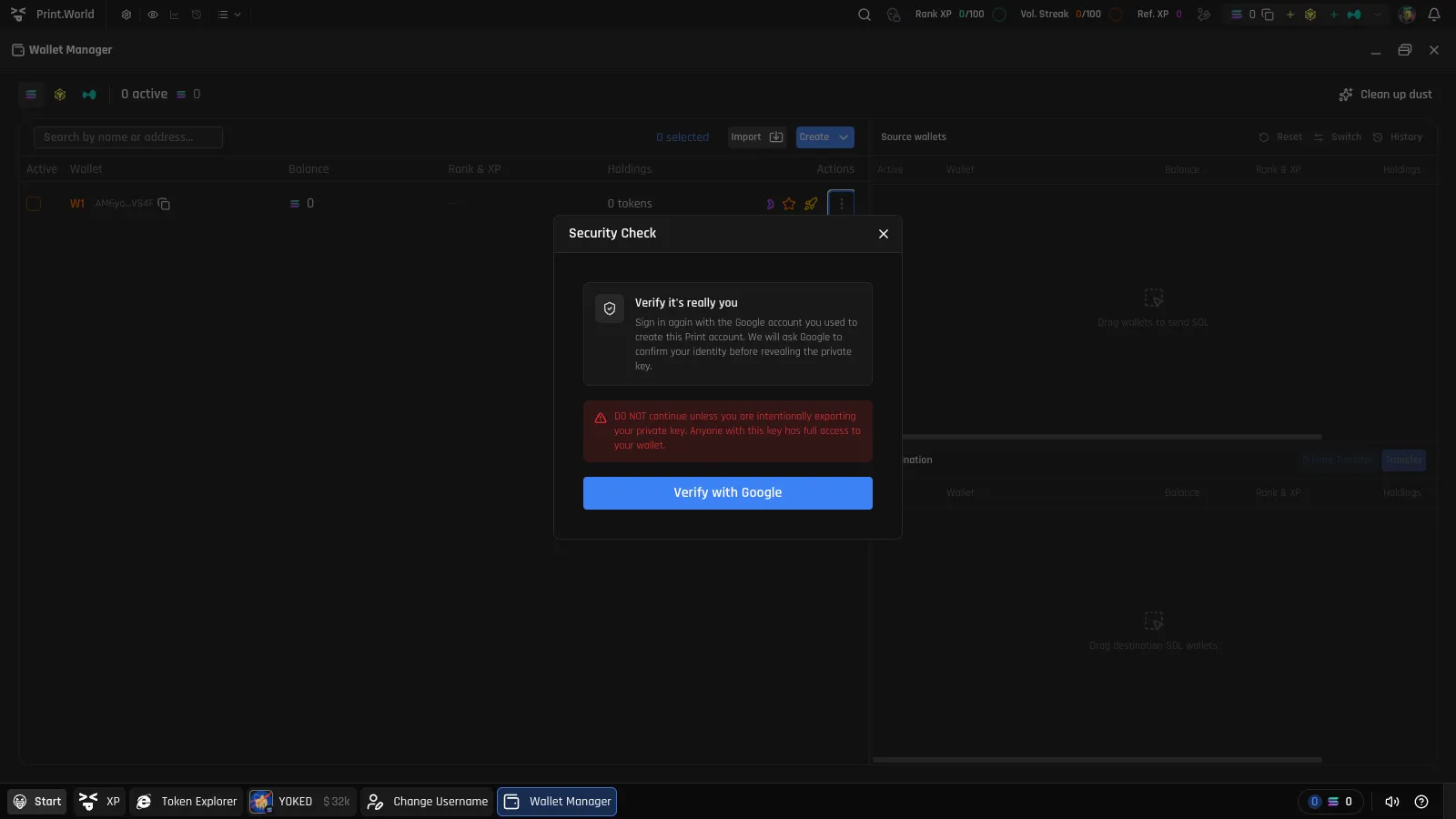
Section titled “How to Export a Private Key”You can export the private key of any wallet from the Wallet Manager — for example, to use the wallet in an external app or to keep a backup.
-
Open the export modal. Wallet Manager → wallet row menu → Export private key.
-
Pass the Security Check. Export requires step-up authentication: you re-verify with the same method you signed up with — a wallet signature, Google, X, or Telegram. Without passing this check, the key is not released.
-
Reveal and copy. On the Private Key step, the key stays blurred until you press Reveal private key. Copy it directly to where you’ll store it.
Importing Keys Safely
Section titled “Importing Keys Safely”The Wallet Manager can import wallets from private keys. Treat imports with the same care as exports:
- Only import keys you generated yourself and have kept private.
- Never import a key someone sent you — a shared key means shared control, and the sender can drain the wallet at any time.
- Import only on a secure network and a device you trust.
Wallet Security Checklist
Section titled “Wallet Security Checklist”- Back up every key offline. A password manager or an offline copy beats a note in your downloads folder. If you downloaded your key file at sign-up, move it somewhere safe.
- One key per wallet. Activating chains and creating wallets each produce a new key — losing one doesn’t affect the others, but each one you lose is a wallet you may not be able to recover independently.
- Protect your sign-in method. Step-up authentication ties key export to your sign-up provider (wallet, Google, X, or Telegram) — secure that account with strong credentials and two-factor authentication.
- Verify the domain before signing in or revealing keys — phishing clones are the most common way keys get stolen.
- Double-check withdrawal addresses. Transactions are irreversible; see Withdraw.
For how external wallets (Phantom and others) relate to your embedded wallets, see Connecting Your Wallet and the Wallet Overview.