
Trading
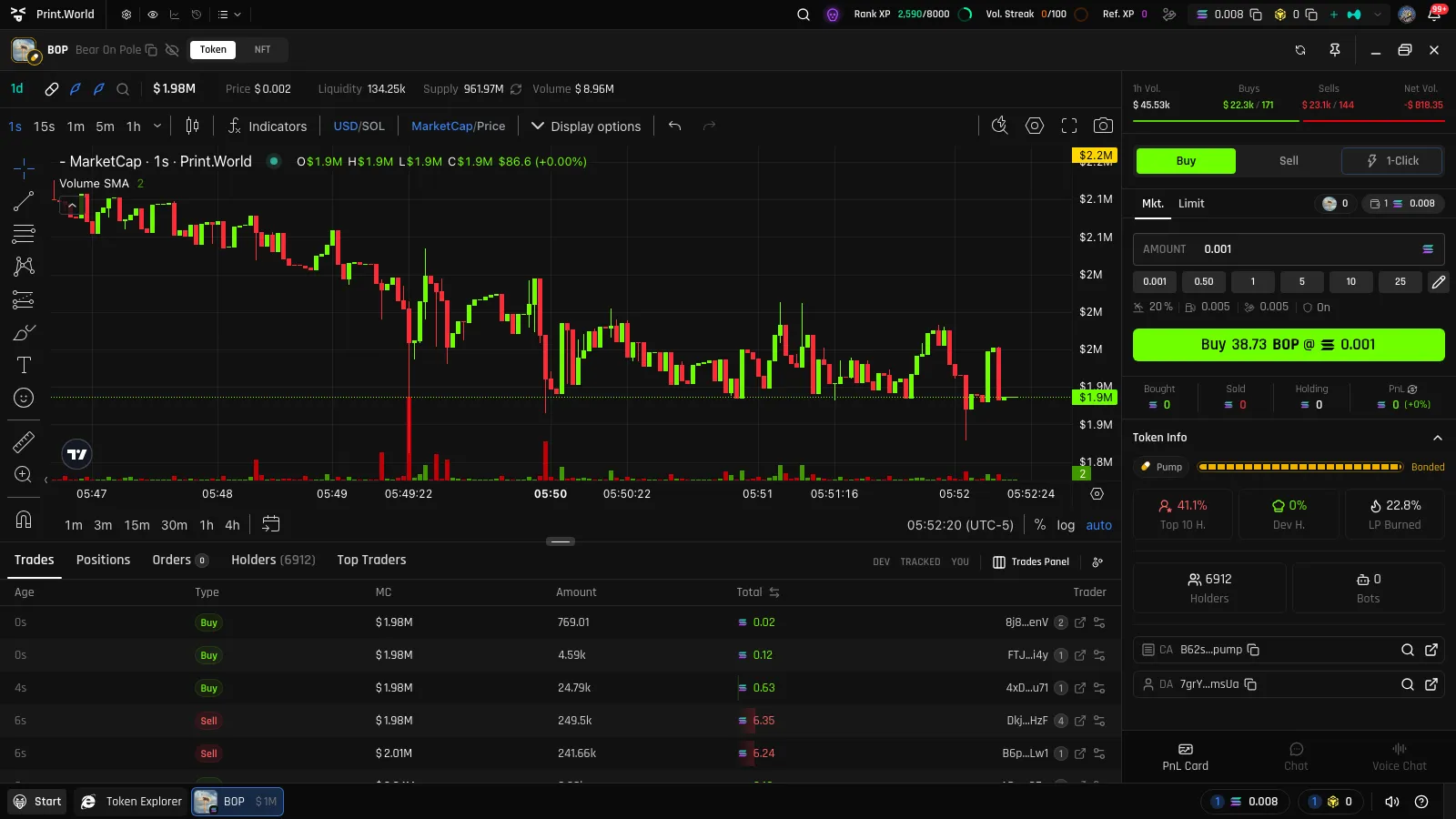
print.world is a Solana trading platform built for memecoin trading: every token has its own trading page — a complete trading terminal with a live chart, a buy/sell panel, real-time data tables, and per-token P&L, all in one window.
How to Open a Token Page
Section titled “How to Open a Token Page”You can open a token’s trading page from anywhere you see a token:
- Token Explorer — click any token row in the discovery lists
- Search — search by name, ticker, or address
- Wallet Tracker — click a token from a tracked wallet’s activity
- Direct link — every token page has a shareable URL
You can keep multiple token windows open at once and arrange them freely on your desktop.
Trading Page Layout
Section titled “Trading Page Layout”The trading page is organized into a few key areas:
| Area | What it shows |
|---|---|
| Token top bar | Token identity: name, ticker, age, the DEX it trades on, and key stats |
| Volume stats | A timeframe selector (5m / 1h / 6h / 24h) with Vol., Buys, Sells, and Net Vol. for the selected window, plus the price change over that period |
| Chart | Live candlestick chart with trade marks, P&L lines, and order lines — see Chart |
| Trade panel | The buy/sell sidebar with Buy, Sell, and 1-Click modes — see Buy & Sell |
| Data tables | Tabs for Trades, Positions, Orders, Holders, Top Traders, and Vesting — see Data Tables |
| Side panel | Per-token extras: the shareable PnL Card, Chat, and Voice Chat |
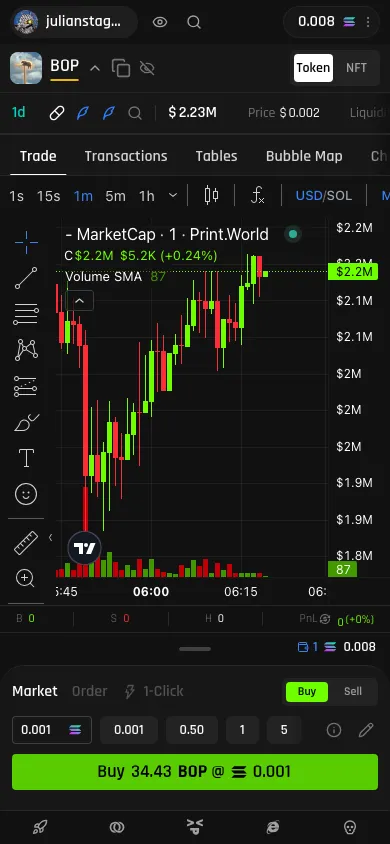
On smaller windows the page switches to a tabbed layout, and on mobile it uses a tab bar with a persistent Trade Dock at the bottom so the trade controls are always within reach.
Public vs. Signed In
Section titled “Public vs. Signed In”Token pages are public — anyone can research a token without an account:
| Capability | Public | Signed in |
|---|---|---|
| Live chart and timeframes | ✅ | ✅ |
| Trades, Holders, and Top Traders tables | ✅ | ✅ |
| Buying and selling | — | ✅ |
| Limit orders | — | ✅ |
| Positions and P&L tracking | — | ✅ |
| PnL Card, Chat, and Voice Chat | — | ✅ |
When you’re logged out, the page shows a Sign in banner: “Sign in to trade and unlock advanced features.” Chat and Voice Chat additionally require you to hold or have traded the token. See Connecting Your Wallet to get set up.
Trading Gates and Banners
Section titled “Trading Gates and Banners”The page surfaces warnings and gates when a token needs special attention:
- Migrating — while a token is moving from its bonding curve to a DEX, trading is paused: “This token is currently migrating. Trading is paused until migration completes.” See Token Lifecycle.
- Low liquidity — a warning banner appears on pools with very low liquidity, where price impact can be severe.
- Max supply — an info banner appears on tokens with notable max-supply characteristics.
- Verification gates — some tokens require a verified X (Twitter) account before you can trade them.