
Wallet Trade Notifications
The Wallet Tracker turns wallet activity into trade alerts, so you don’t have to keep the Live trades feed open to know what your tracked wallets are doing. Every trade can alert you with a toast, a per-wallet sound, an entry in the Activity Center, and (on mobile) a push notification.
Turning Notifications On
Section titled “Turning Notifications On”Notifications are controlled per wallet from the Wallet manager tab:
-
Find the wallet’s row and click the bell icon. If notifications are off, this turns them on.
-
Click the bell again to open the sound picker. Choose one of five sounds — Sound 1 through Sound 5 — or None. Each sound has a play button so you can preview it before committing. Picking None disables notifications for that wallet.
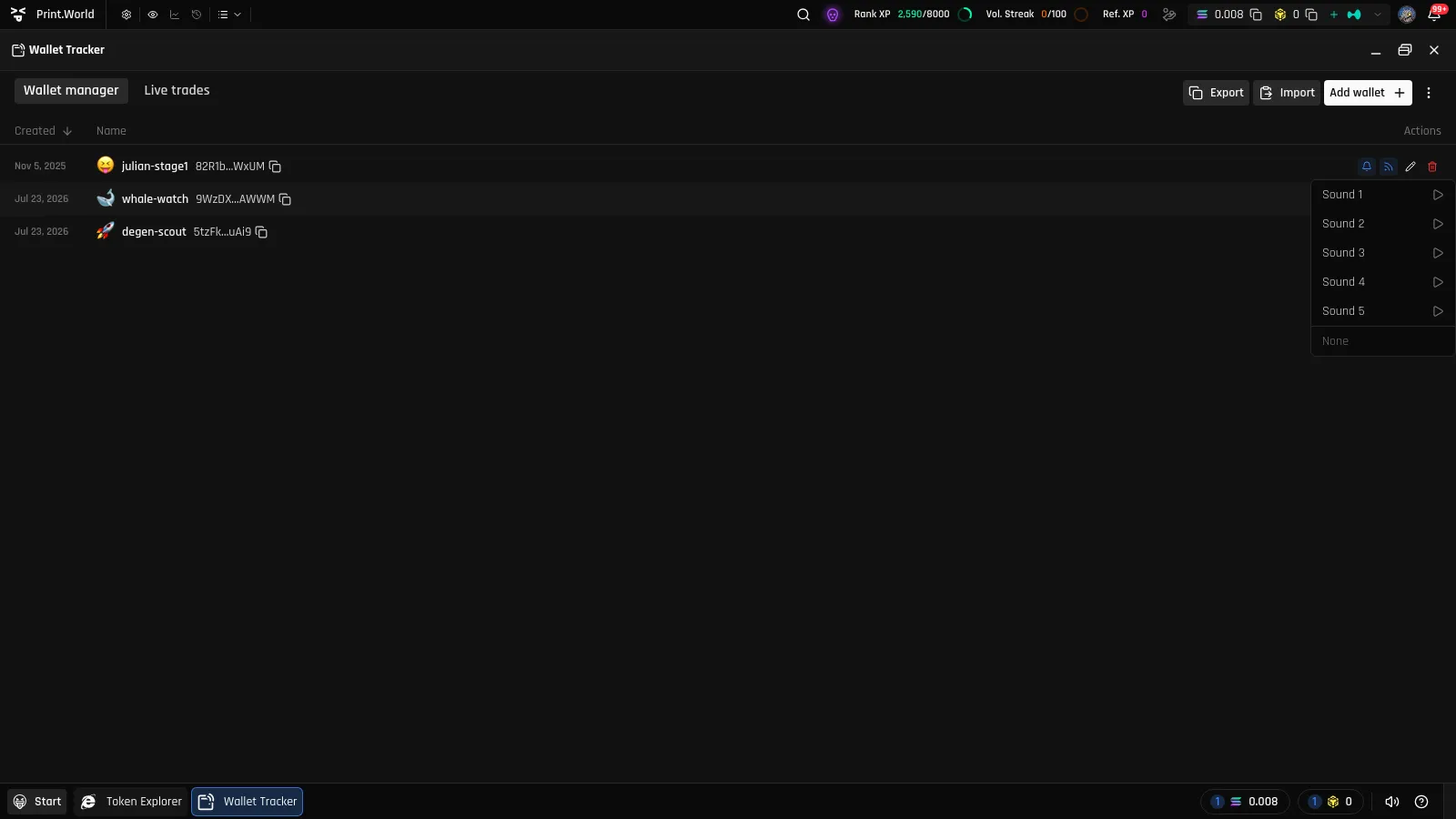
To flip everyone at once, use Enable all wallet notifications / Disable all wallet notifications in the Wallet manager’s ⋮ menu.
What an Alert Looks Like
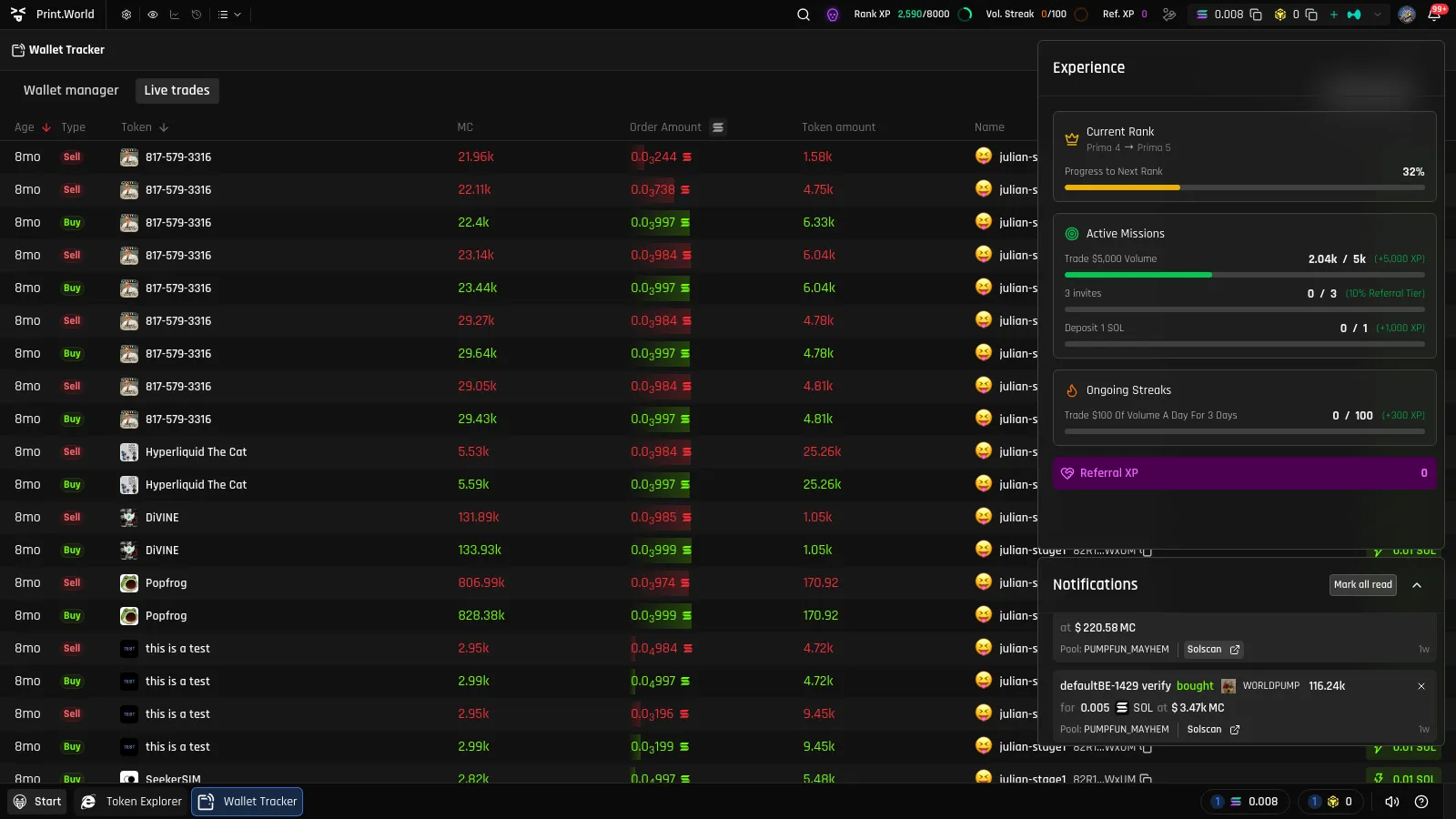
Section titled “What an Alert Looks Like”When a tracked wallet trades, a toast appears wherever you are on print.world: the wallet’s emoji and name, whether it bought or sold, the token, the amounts, and the token’s market cap at the time. Click the token in the toast to jump straight to its ticker page. If the wallet has a sound selected, it plays along with the toast.
Activity Center
Section titled “Activity Center”Every tracked-wallet trade also lands in the Activity Center, so you can review alerts you missed. Each card shows the wallet’s emoji and name, the trade direction and amounts, the market cap, and how long ago it happened — plus a View on explorer link that opens the transaction on a blockchain explorer, and a control to mark the notification as read.
Push Notifications on Mobile
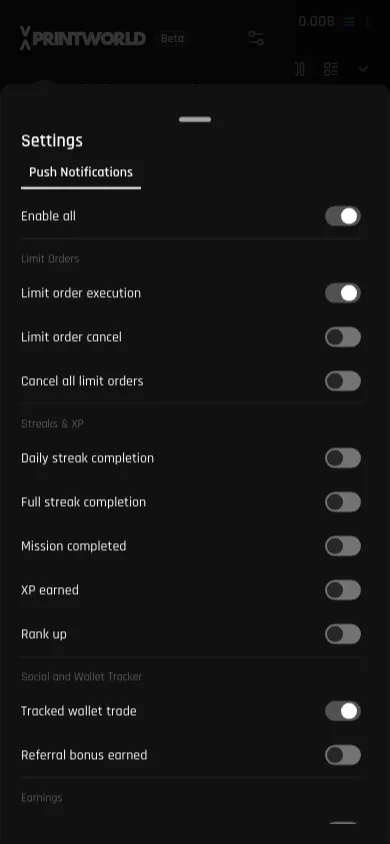
Section titled “Push Notifications on Mobile”Using print.world as an installed app on your phone? You can get tracked-wallet alerts as system push notifications — even when the app is closed:
-
Open the notification settings from the mobile menu.
-
Enable push notifications if you haven’t already.
-
Turn on the Tracked wallet trade notification type (listed under Social and Wallet Tracker).
What’s Next
Section titled “What’s Next”- Live Trades — the full real-time feed behind these alerts
- Across the App — tracked-wallet markers on token pages and charts