
Token Explorer: Solana Token Screener
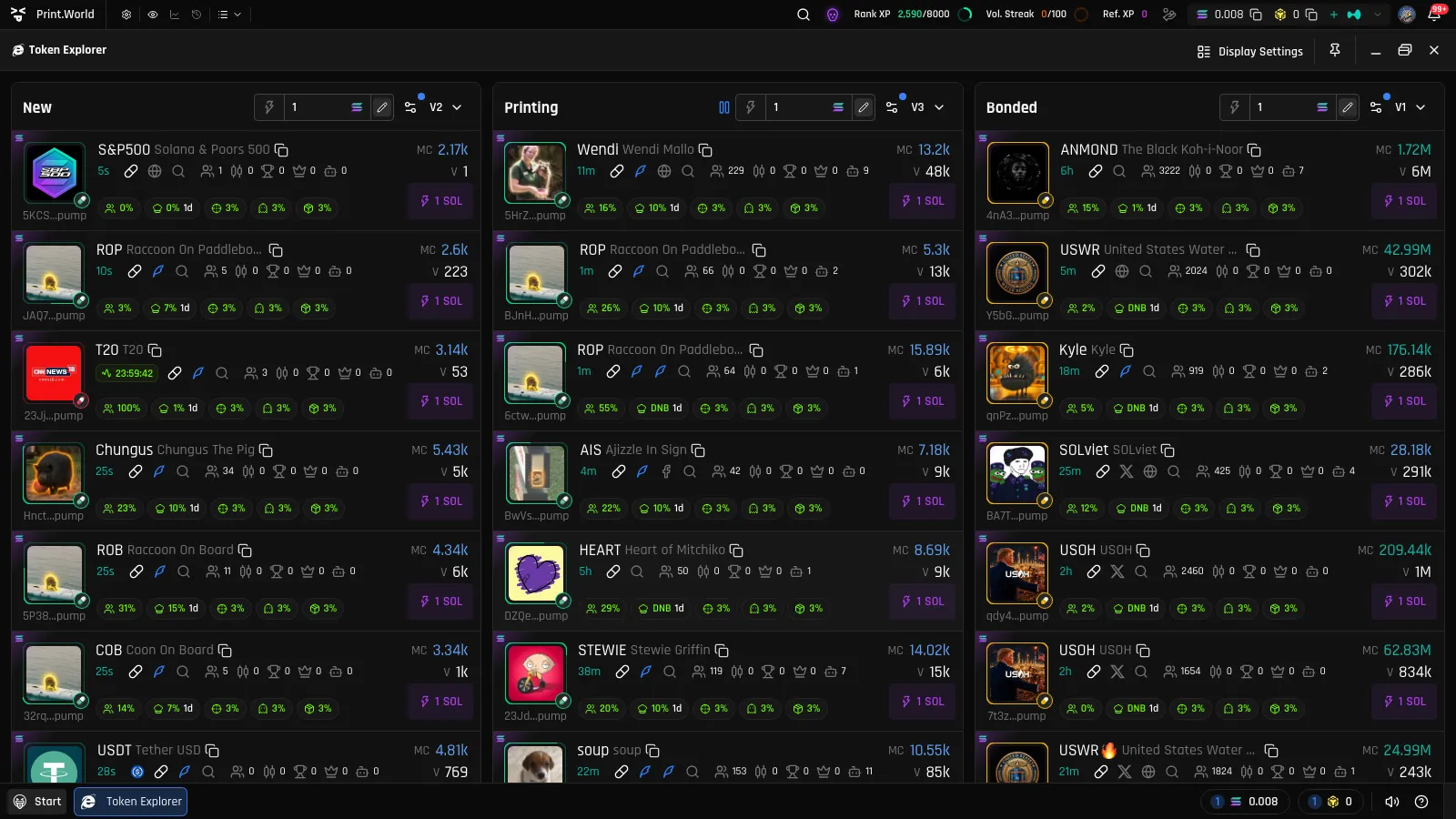
The Token Explorer is print.world’s real-time Solana token screener. It streams new tokens the moment they are created, tracks them as they trade along the bonding curve, and follows them after they migrate to a DEX — one live-updating screen for the whole discovery flow.
No Account Needed
Section titled “No Account Needed”The Token Explorer is fully public — you can open it and browse every list without signing in. Signing in unlocks the extras: Quick Buy, syncing your filter presets across devices, and the rest of the trading experience.
The Three Token Lists: New, Printing, Bonded
Section titled “The Three Token Lists: New, Printing, Bonded”The explorer is organized as three live lists, each covering one stage of a token’s life:
| List | What it shows |
|---|---|
| New | Freshly created tokens, streamed in the moment they launch. |
| Printing | Tokens actively trading on their bonding curve, sorted by market cap by default. |
| Bonded | Tokens that completed their curve and migrated to a DEX, sorted by migration time by default. |
Printing is print.world’s word for a token that is still on its bonding curve — every buy “prints” it closer to graduation. Bonded means the curve completed and the token migrated to a DEX for open trading. See Bonding Curves and the Token Lifecycle for the full picture.
By default, the Printing list focuses on recently launched tokens (roughly the last 24 hours) — you can widen or change this in the filters. Each list keeps its own filters, presets, and Quick Buy amounts.
Real-Time Token Feed
Section titled “Real-Time Token Feed”All three lists stream live: new tokens appear the moment they launch, and the metrics on every visible card update in place.
Pause on hover — hovering over a list pauses the insertion of new tokens so the row you’re reading doesn’t jump away. A blue pause indicator appears in the list header while paused; move the cursor away and the stream resumes. Existing rows keep updating in place even while paused.
On mobile, each list has an explicit Play/Pause button in its header instead.
Layouts
Section titled “Layouts”- Wide screens — all enabled lists render side by side as columns.
- Narrow windows — when the explorer window (or screen) gets narrow, the lists collapse into tabs (New / Printing / Bonded). Your last active tab is remembered for next time.
- Your arrangement — you can turn individual lists on or off, drag them into a different order, and switch between spaced or joined table styles in Display Settings.
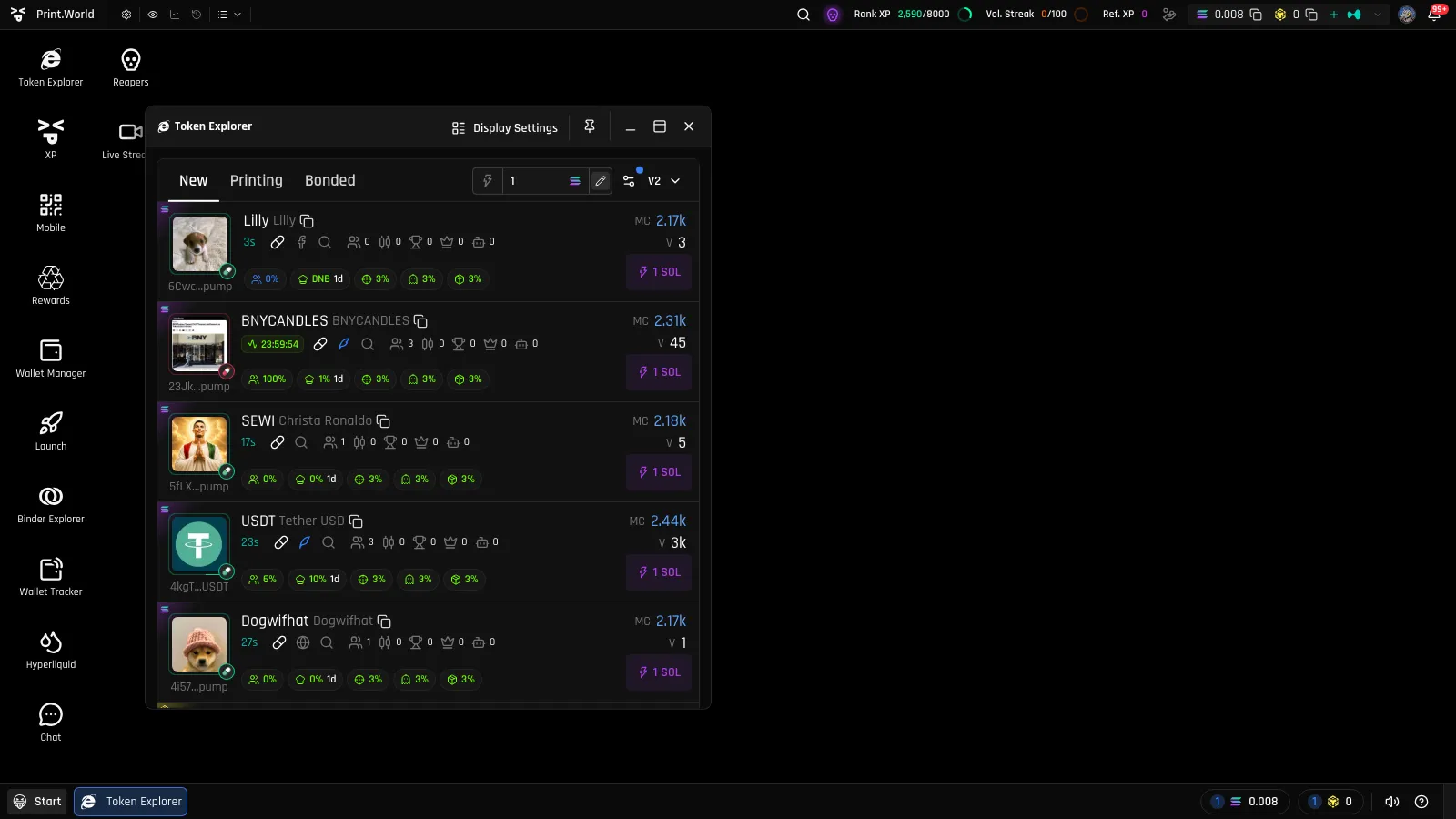
On mobile, the Token Explorer is the default app — it opens automatically when you visit the platform.
Navigating to Tokens
Section titled “Navigating to Tokens”The explorer is your jumping-off point into every token:
- Click a card (or press Enter/Space on a focused card) — the token’s page opens in a new window, automatically snapped into a free position next to the explorer.
- Click the Holders count on a card — the token page opens with the Holders tab already selected.
- Right-click a card — a Snap Control menu appears, letting you choose exactly where on screen the token window should open.
- Social icons on a card (DEX page, Twitter, Website, Twitter search) open in a new browser tab without opening the token page.