
Tracked Wallets Across the App
Tracking a wallet lets you follow smart money everywhere on print.world — not just inside the tracker. Wherever a tracked wallet appears, the platform lights it up so you can spot your watched wallets in context.
Trade Tables: the Tracked Wallet Marker
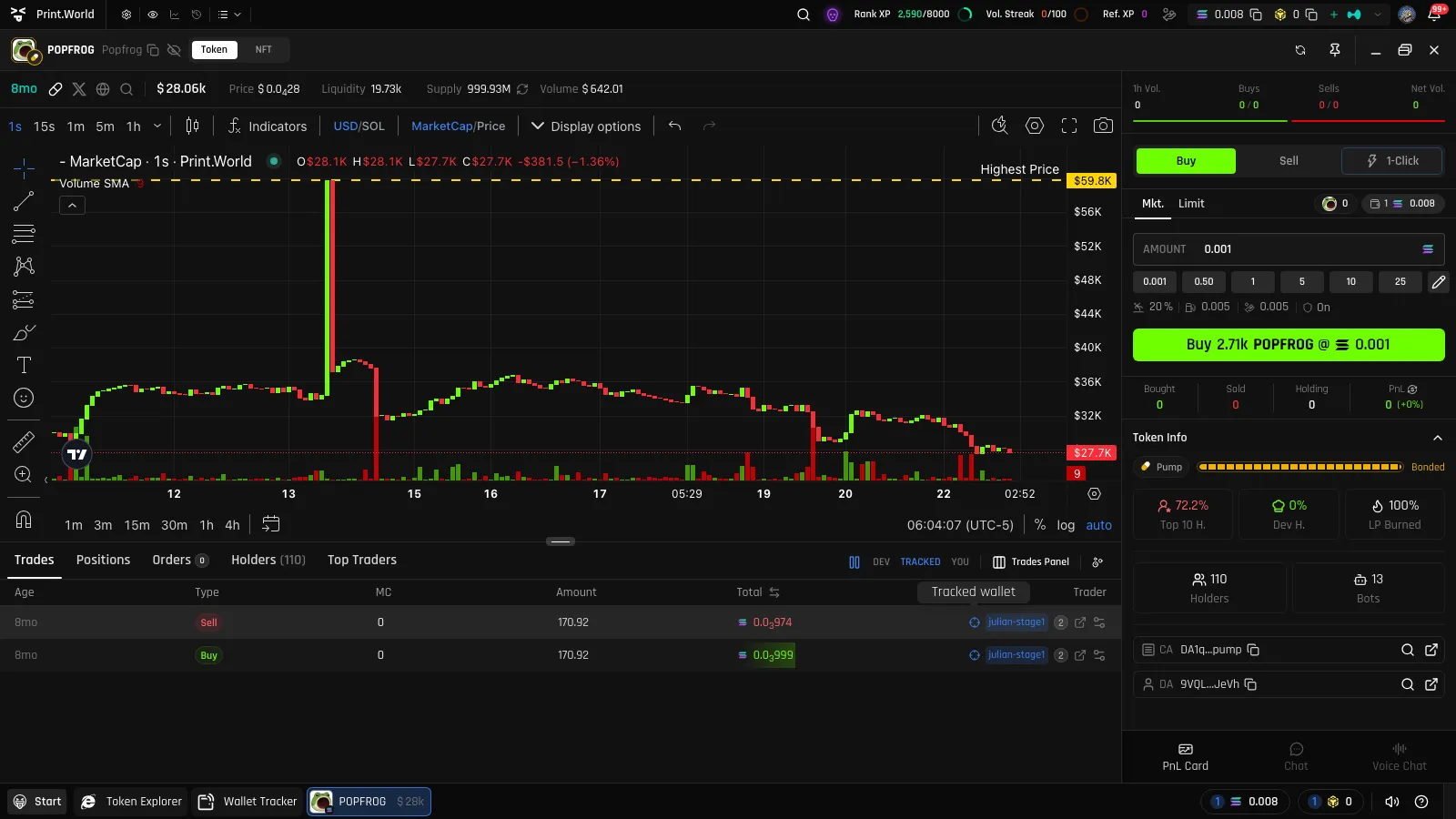
Section titled “Trade Tables: the Tracked Wallet Marker”On any token’s ticker page, the Trades table marks tracked wallets with a crosshair icon next to their address. Hover it and the tooltip confirms: “Tracked wallet”. When you’re scanning a token’s recent activity, your tracked wallets stand out from the crowd instantly.
Holders: the ONLY TRACKED Filter
Section titled “Holders: the ONLY TRACKED Filter”The Holders tab on a ticker page has an ONLY TRACKED filter button. Turn it on and the holder list collapses to just your tracked wallets — a one-click answer to “which of my watched wallets are holding this token, and how much?”. Tracked holders also carry the same crosshair marker.
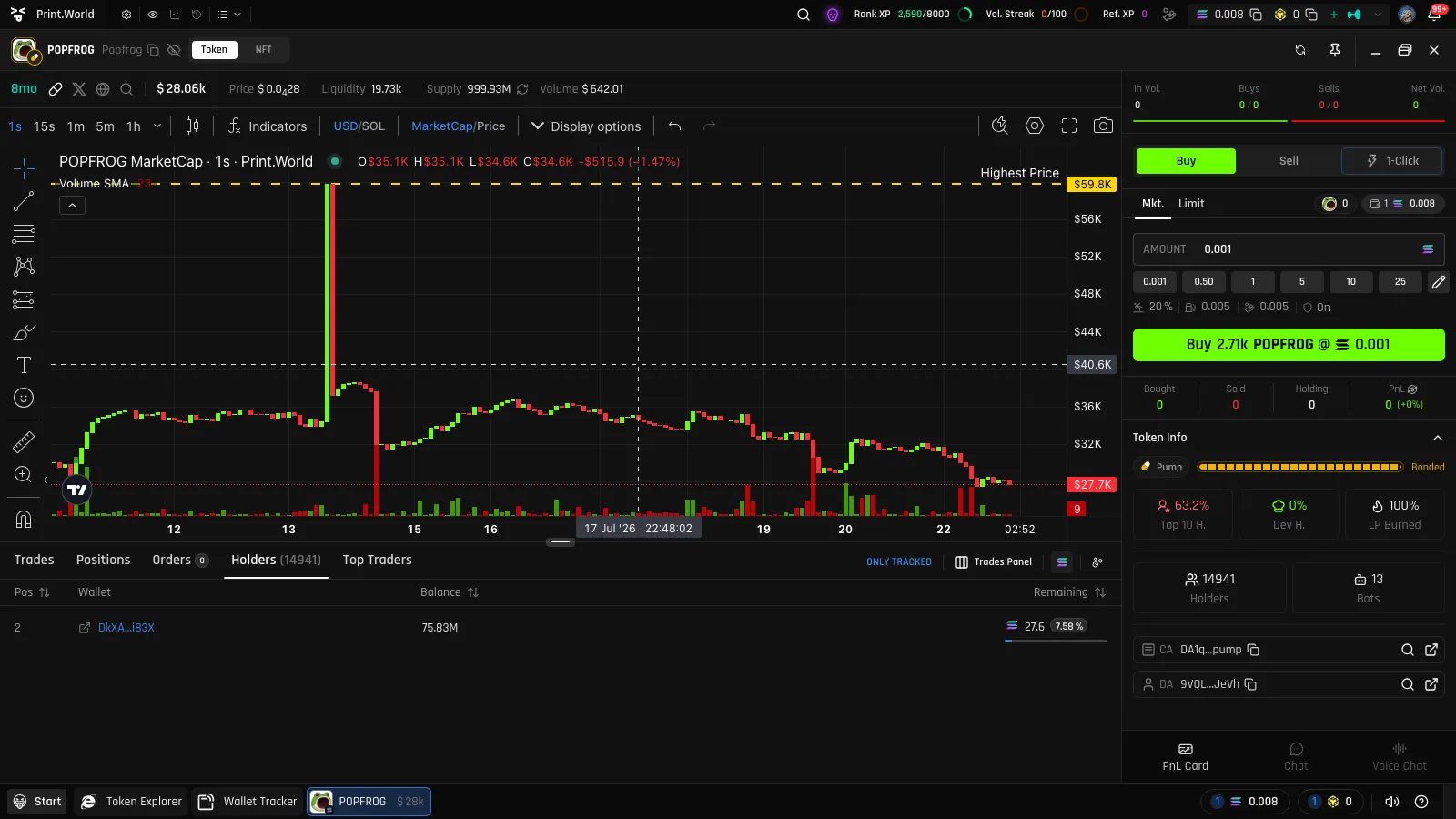
Chart Stickers
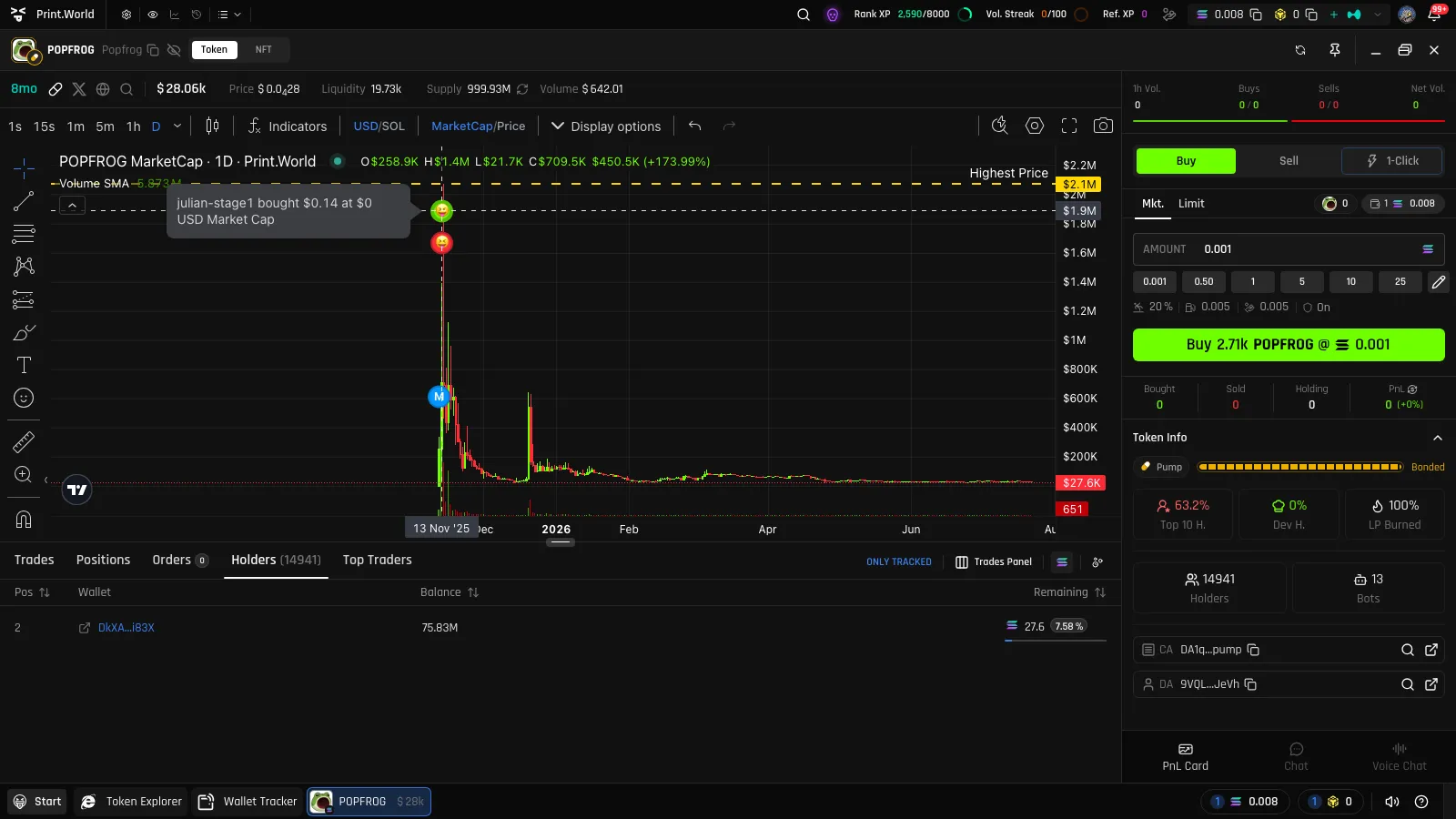
Section titled “Chart Stickers”This is the most visual integration: on a token’s trading chart, tracked wallets’ buys and sells appear as stickers using the wallet’s emoji icon, placed at the price and time of each trade and labeled with the wallet’s display name. You can literally see where on the chart your tracked wallets entered and exited.
This is why the emoji you pick when adding a wallet matters — it becomes the wallet’s signature on every chart.
Mobile: Transactions Tab
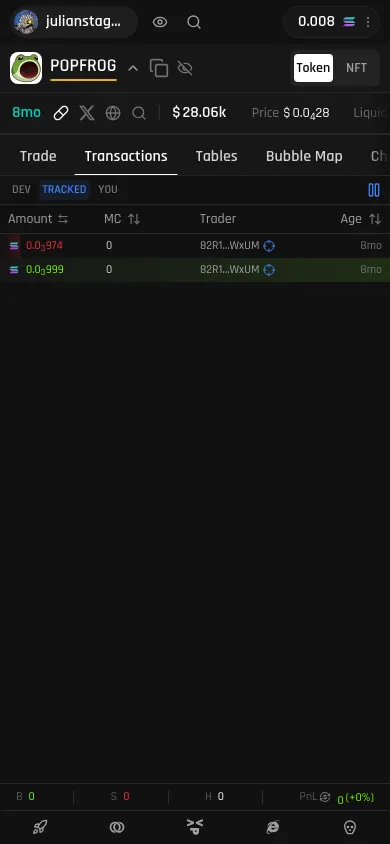
Section titled “Mobile: Transactions Tab”On mobile, the ticker page’s Transactions tab applies the same treatment — trades from your tracked wallets are marked in the list, so the phone experience keeps pace with desktop.
What’s Next
Section titled “What’s Next”- Managing Wallets — the names and emojis you set drive all of these markers
- Token Explorer — find tokens where your tracked wallets are active
- Chart — everything else the trading chart can do