
Deposit Funds
Depositing is how you fund your Print Wallet from an external wallet or exchange — on Solana or any other chain you’ve activated. You send funds to your deposit address on the matching network, and your balance updates automatically — no manual refresh needed.
How to Make a Deposit
Section titled “How to Make a Deposit”-
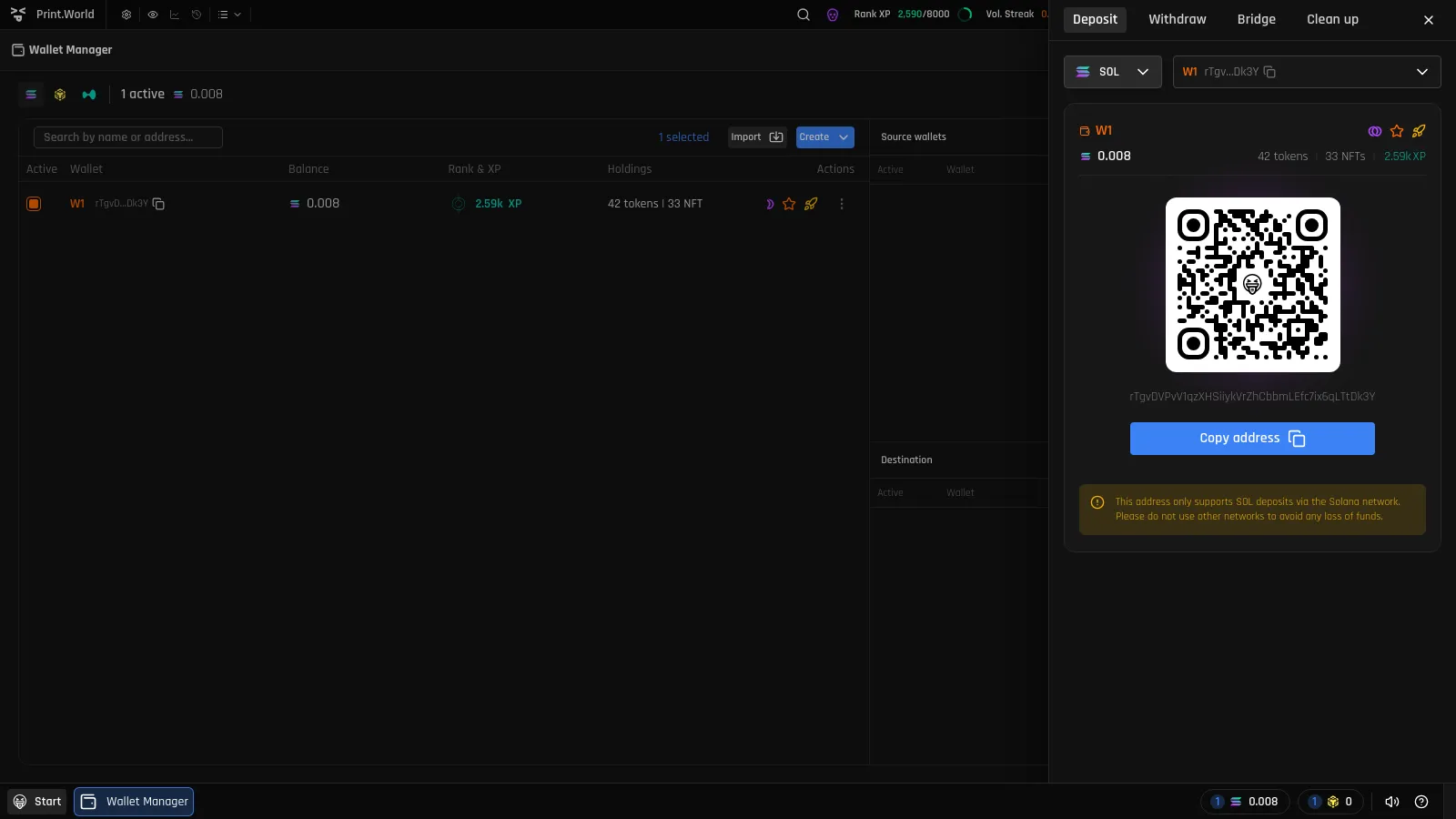
Open the Deposit tab. Click a chain balance chip in the top bar, or open the wallet balance popover and press Deposit. The drawer opens on the Deposit tab for that chain.
-
Pick the chain and receiving wallet. Your primary wallet is preselected, but you can deposit into any of your wallets. The wallet card shows its name (or truncated address), role badges, current balance, and a summary of its tokens, NFTs, and XP.
-
Copy the address or scan the QR code. Press Copy address, or scan the QR code from your phone’s wallet app.
-
Send funds from your external wallet or exchange. Once the transaction confirms on-chain, your balance updates live across the top bar and every wallet surface.
Use the Right Network
Section titled “Use the Right Network”Each deposit address only accepts its own chain’s network. The Deposit tab shows a warning for the selected chain — for example, a Solana address only supports SOL deposits via the Solana network.
Depositing on Other Chains
Section titled “Depositing on Other Chains”Chains other than Solana must be activated before you can deposit to them — activating a chain creates a dedicated embedded wallet for it. If a chain isn’t activated yet, you’ll see an Activate button instead of a deposit address. See the Overview for how activation works and Security & Private Keys for storing the new wallet’s key.
After You Deposit
Section titled “After You Deposit”- Balances refresh in real time in the top bar, balance popover, and Wallet Manager.
- Deposited funds are immediately available for trading, withdrawing, or bridging to another chain.
- Want to fund several of your wallets from one deposit? Deposit once, then use Distribute to split funds across wallets.