
1-Click Trading
When speed matters more than fine-tuning, print.world offers a family of one-click trading tools for instant execution: 1-Click mode on the token page, hotkey orders on the chart, and Quick Buy buttons in token lists. They all share one idea — you configure the amount once, then a single click executes.
1-Click Mode
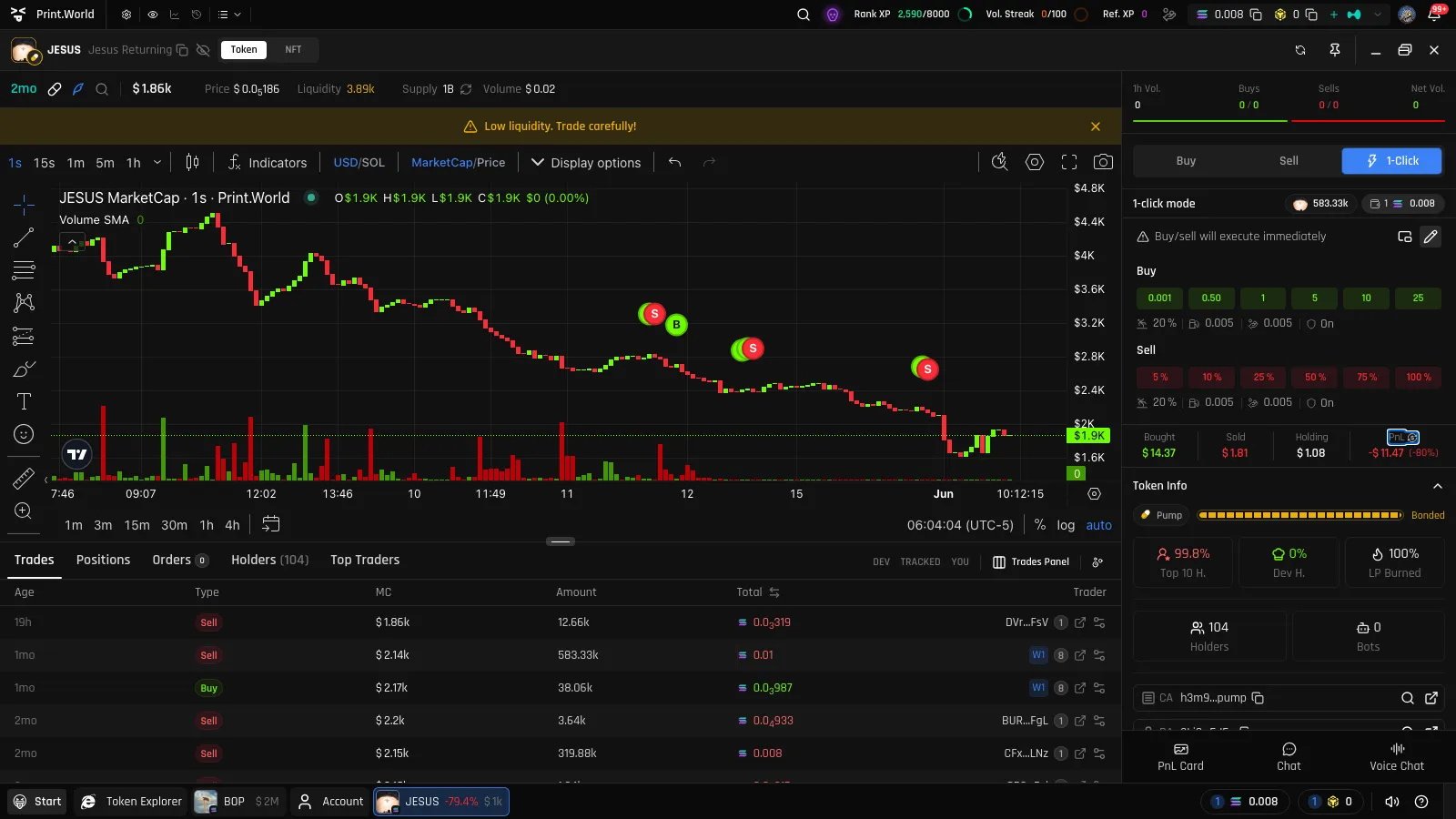
Section titled “1-Click Mode”Click the zap icon in the trade panel header to enter 1-click mode. The panel is replaced by two preset rows — a green buy row and a red sell row — plus live readouts of your token and wallet balances.
Clicking any preset executes instantly:
- Buy presets are amounts in the chain’s native currency
- Sell presets are percentages of your holdings
1-Click mode keeps its own presets and its own slippage settings, separate from regular Market mode — so you can run tighter slippage on considered trades and looser, faster settings on instant ones.
Floating Panel
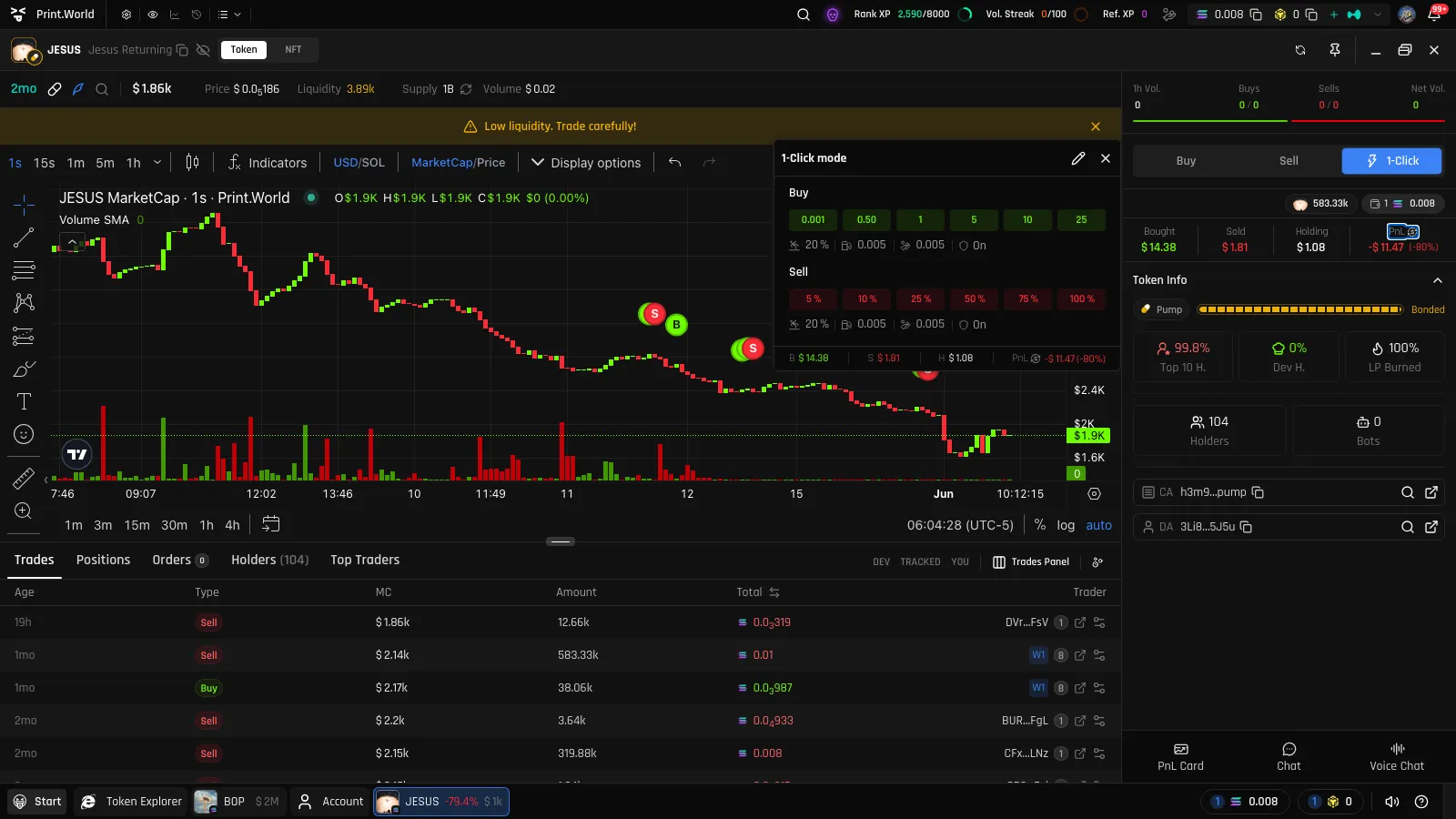
Section titled “Floating Panel”The 1-Click panel can be detached into a floating card that stays visible while you browse the chart or tables — handy when you’re watching a fast market and want the triggers under your cursor at all times.
On mobile, the Trade Dock has its own 1-Click mode with the same instant-execution presets.
Hotkey Orders on the Chart
Section titled “Hotkey Orders on the Chart”You can bind hotkeys (configurable per direction) that turn the chart into an order-entry surface:
- Hold the hotkey — a dashed Buy target or Sell target line follows your cursor across the chart.
- Click at the level you want — a limit order is placed at that price.
With the 1-click limit card enabled, the order is submitted instantly using the card’s fixed amount (native currency for buys, percentage of holdings for sells) — no order card, no confirmation. With it disabled, the order card opens for review instead.
See Limit Orders for what happens after the order is placed.
Quick Buy in Token Lists
Section titled “Quick Buy in Token Lists”You don’t have to open a token page to buy. Quick Buy adds a one-click buy button to every token row in Token Explorer and Wallet Tracker: set your dollar amount in the list header, then click the button on any row for an instant market buy with Quick Buy’s own trade settings — the dollars are converted to the chain’s native currency at the moment you click.
See Quick Buy for the full guide — per-list amounts, settings, and wallet requirements.
Quick Sell From Positions
Section titled “Quick Sell From Positions”Position rows in the token page’s Positions tab (and in your Account portfolio) include a one-click sell button that sells your configured percentage of that position instantly — using your account-level sell preset for the chain.
Related
Section titled “Related”- Buy & Sell — regular Market trading with full control
- Limit Orders — the 1-click limit card and hotkey orders in context
- Chart — everything else you can do on the chart