
Settings & Activity
This page covers your print.world account settings and the Account app’s Activity view: theme, push notifications, the trading activity tables, and the settings reset.
Activity
Section titled “Activity”Activity is the default view when you open the Account app. It is your trading record, organized into three tabs:
- Positions — your open positions with their current PnL.
- Trades — your trade history.
- Orders — your pending and past limit orders with their status. A Cancel All action lets you cancel every open limit order at once.
If you have multiple wallets, use the wallet selector to filter the tables to a single wallet.
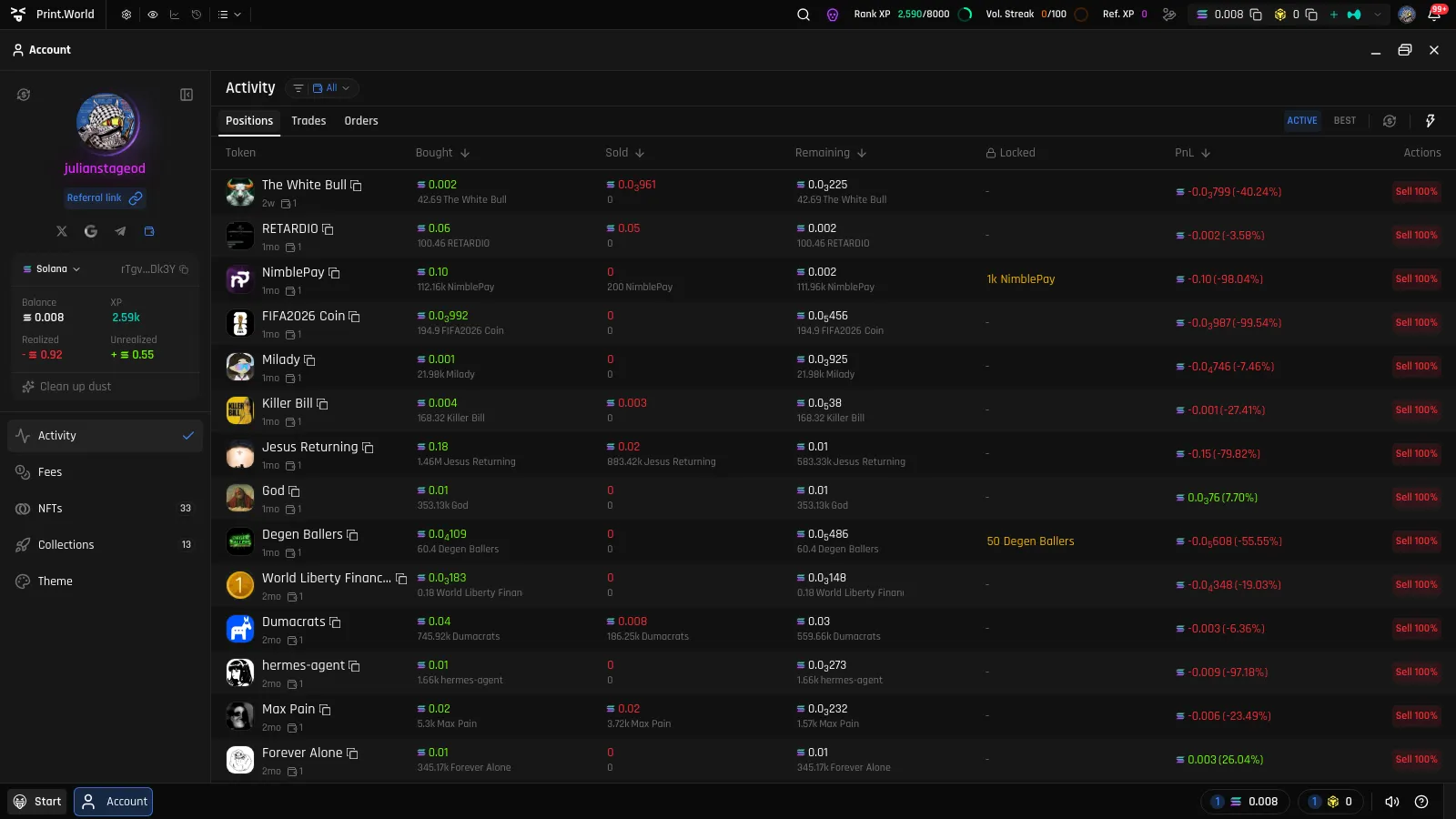
Activity is a summary surface — for the full details of how PnL and limit orders work, see:
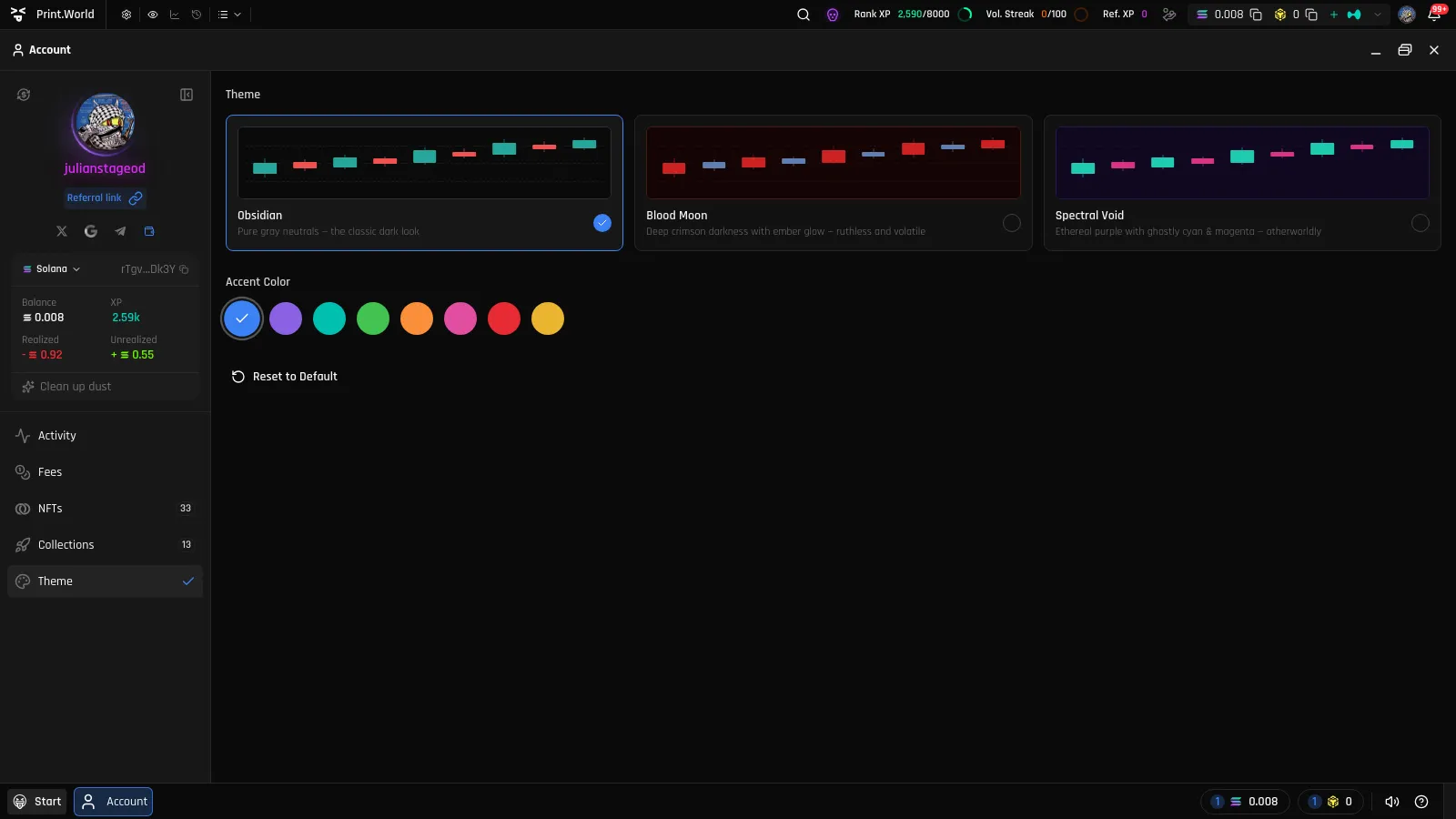
The Theme view controls how print.world looks. You can pick from preset themes, choose a primary accent color, and reset the appearance back to the default.
Push Notifications
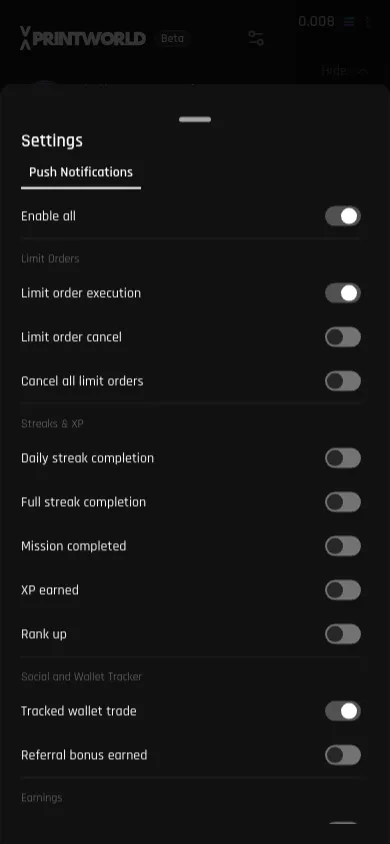
Section titled “Push Notifications”You can choose which push notifications print.world sends you. On mobile, open the navigation drawer, tap the settings icon, and open Push Notifications in the Settings sheet.
An Enable all master switch turns everything on or off, and each group can be toggled individually:
| Group | Notifies you about |
|---|---|
| Limit Orders | Limit orders created or cancelled |
| Streaks & XP | Daily streaks, completed missions, XP earned, and rank ups |
| Social and Wallet Tracker | Trades from wallets you track, and referral bonuses |
| Earnings | Creator fee and bridge earnings |
| NFT | Activity on NFT collections |
Reset Account Settings
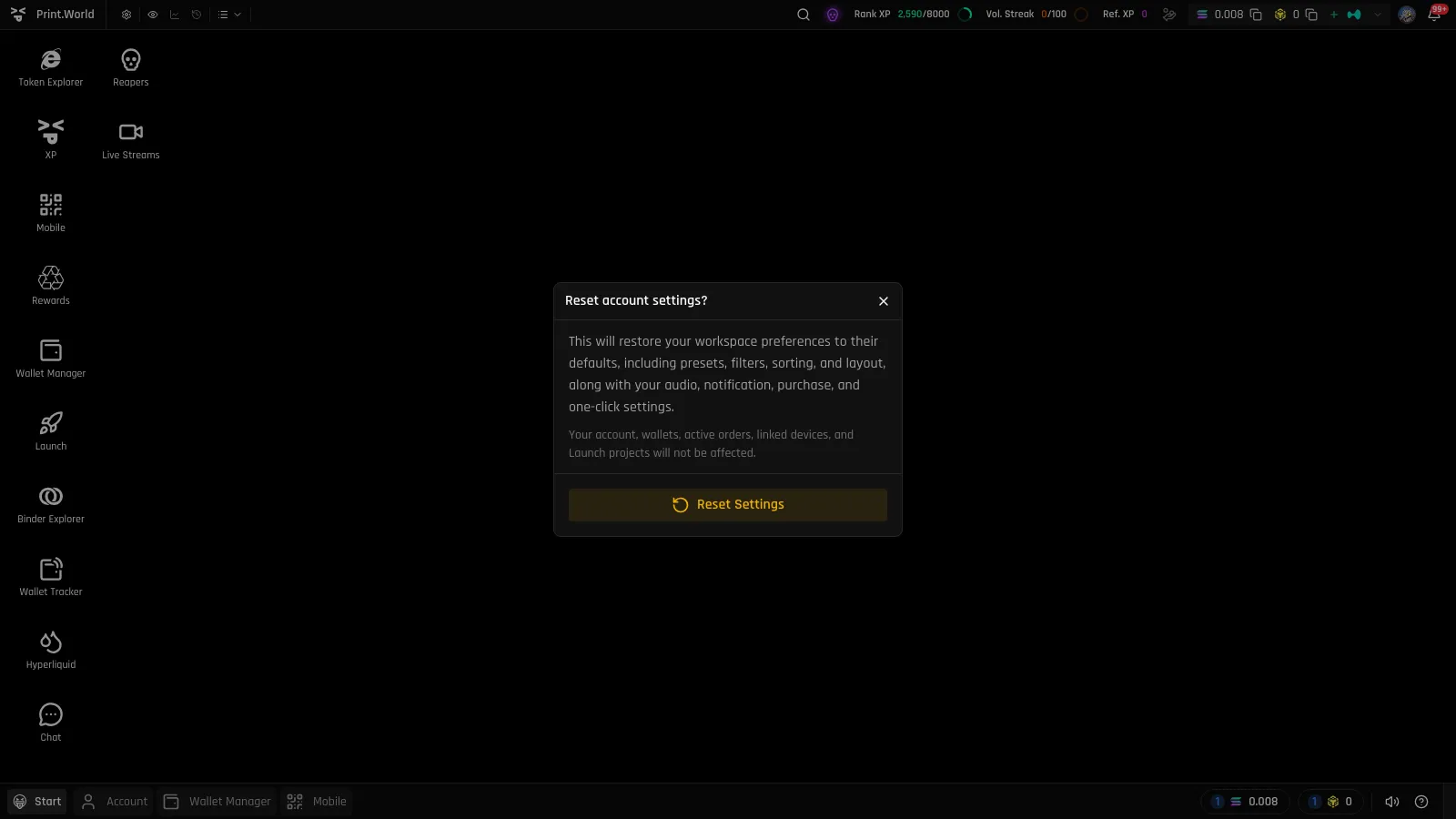
Section titled “Reset Account Settings”If your workspace gets into a state you do not like, you can restore your preferences to their defaults:
- Open the Start menu and select Reset Settings (on mobile: Reset Account Settings in the drawer).
- Confirm in the “Reset account settings?” dialog.
What gets reset: your workspace preferences — presets, filters, sorting, layout, along with your audio, notification, purchase, and one-click settings.
What is not affected: your account, wallets, active orders, linked devices, and Launch projects.
What’s Next
Section titled “What’s Next”- Security & Devices — Step-up checks, device linking, and signing out
- Positions & PnL — How position PnL is calculated