
P&L Tracking
print.world has a built-in PnL tracker: your profit and loss is tracked automatically, in real time, across every wallet you trade with. You’ll see it in four places: the per-token P&L strip, the chart, the Positions tables, and the shareable PnL Card.
Realized vs. Unrealized PnL
Section titled “Realized vs. Unrealized PnL”Two numbers make up your P&L:
- Realized P&L — profit or loss you’ve locked in: what your sells brought in, minus the cost of the tokens you sold.
- Unrealized P&L — the current market value of what you still hold, compared to what it cost you.
Together they answer the two questions that matter: what did I actually make? and what am I still risking?
The Per-Token P&L Strip
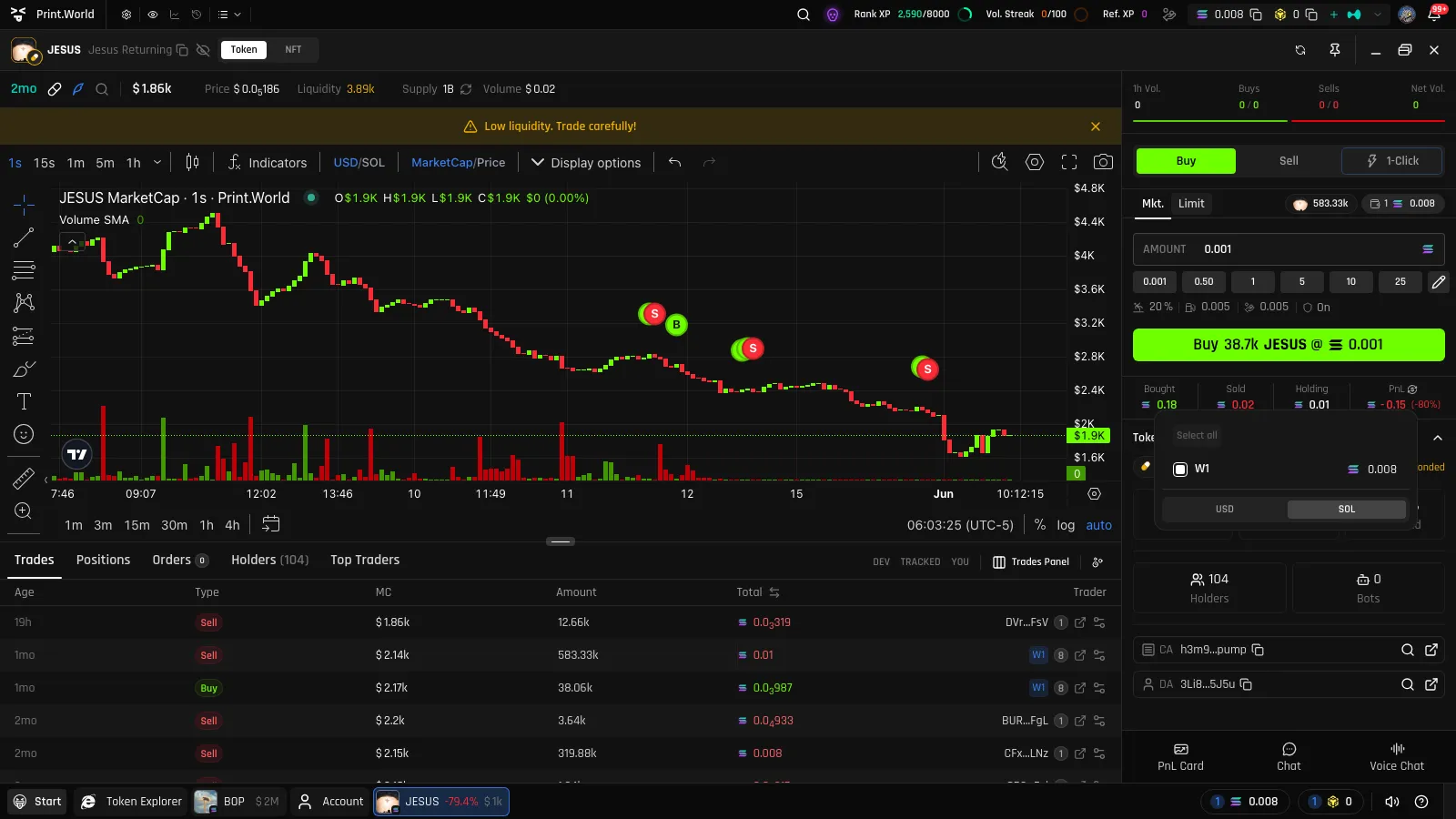
Section titled “The Per-Token P&L Strip”Under the trade panel, every token you’ve traded shows a live strip with four figures:
| Label | Meaning |
|---|---|
| Bought | Total you’ve spent on this token |
| Sold | Total proceeds from your sells |
| Holding | Current value of your remaining position |
| PnL | Net result, with the percentage gain or loss |
All four figures are denominated in USD, like every other amount on the page (chain-native when the enable_usd_denomination kill switch is off). One control refines the view:
- Wallet selector — view the consolidated result across all your wallets, or filter to a single one (the chart’s P&L lines follow the same filter)
P&L on the Chart
Section titled “P&L on the Chart”When you hold a position, the chart draws your break-even and average entry price lines, consolidated across your wallets — so you always know where you stand relative to the current candle. Turn on the My Trades marks to see each of your buys and sells on the price history. See Chart.
Positions and Trade History
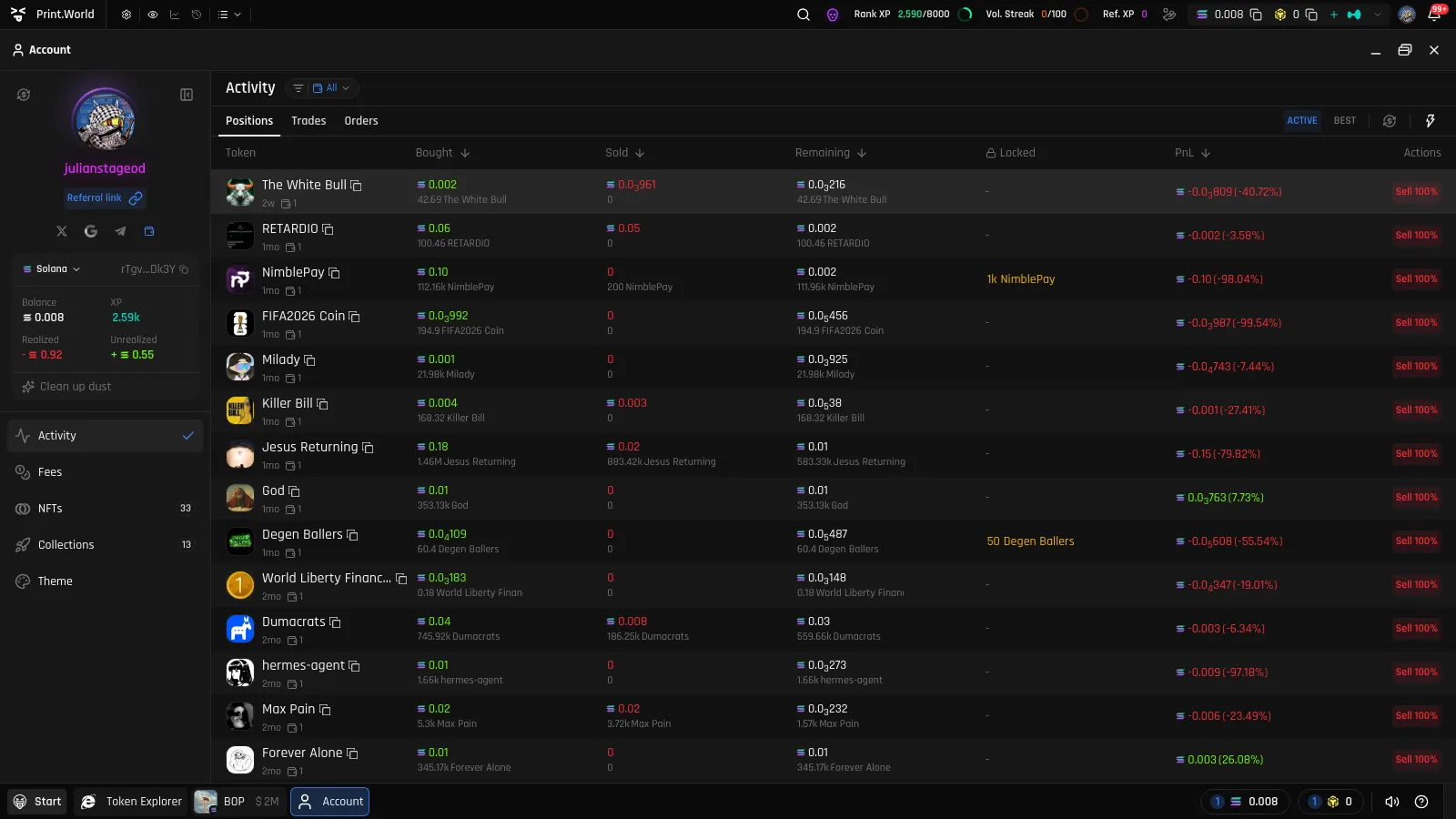
Section titled “Positions and Trade History”The Positions tab on the token page lists your position with Bought / Sold / Remaining / PnL (plus a Locked column on tokens with vesting) and a one-click sell action.
For your whole portfolio, open Account → Activity:
- Positions — every open position across all tokens, with per-position P&L
- Trades — your full trade history: token, type, market cap at trade time, amount, total, date, and wallet
- Orders — your limit orders across all tokens
The PnL Card
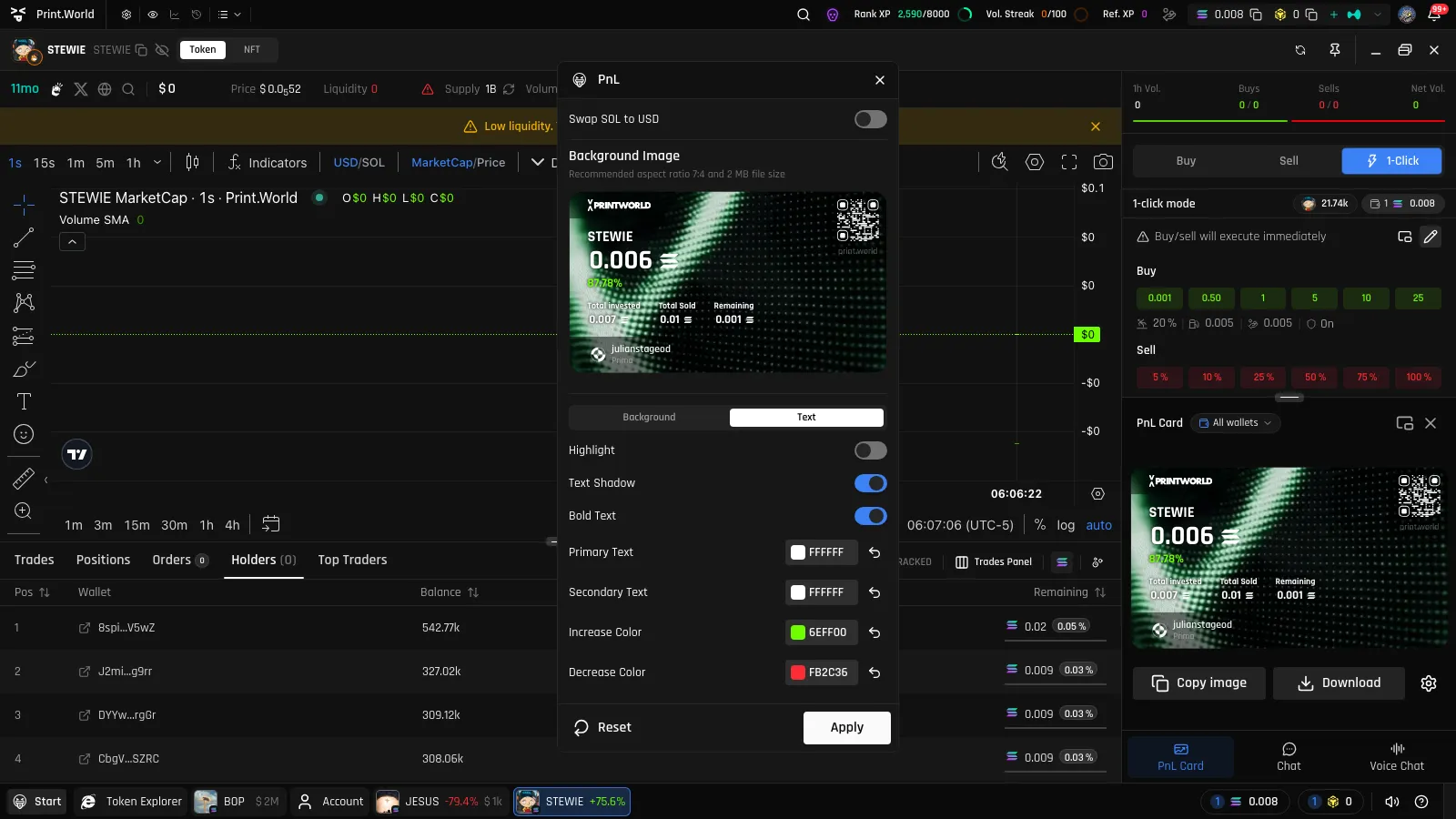
Section titled “The PnL Card”Made a trade worth showing? The PnL Card in the token page’s side panel renders your result on this token as a shareable image.
- Customize it in the settings modal — toggles, colors, and value ranges, with a live preview
- Export the finished card as an image to share anywhere
- Detach the card into a floating panel to keep it visible while you trade
The QR code in the top corner of the card encodes your personal referral link. Anyone who scans it lands on print.world with your referral attached, turning every share into an invite. When you share the card on X, the same referral link appears in the tweet text.
Everyone’s P&L: Top Traders
Section titled “Everyone’s P&L: Top Traders”P&L isn’t only about you — the public Top Traders table ranks every wallet’s realized and unrealized P&L on the token, which makes it a research tool as much as a scoreboard. See Data Tables.
Related
Section titled “Related”- Buy & Sell — the trades that feed these numbers
- Data Tables — Positions, Trades, and Top Traders in context
- Account — portfolio-wide activity