
Data Tables
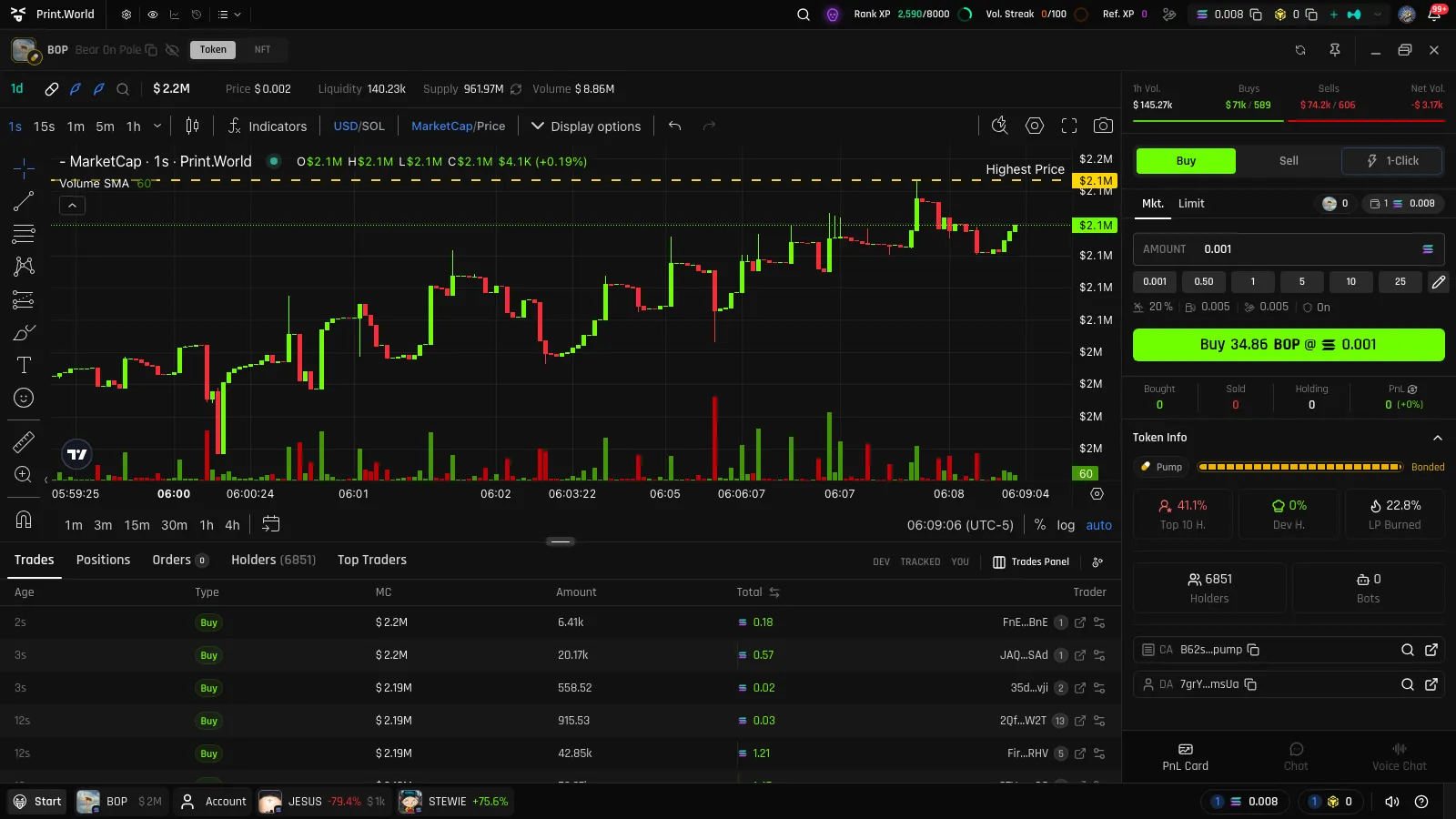
The bottom of every token page holds a set of live Solana token data tables. The chart tells you what price did; the tables tell you who did it. All three research tables — Trades, Holders, and Top Traders — are public, so you can study a token before signing in.
Trades
Section titled “Trades”A real-time feed of every trade on the token, newest first.
| Column | What it shows |
|---|---|
| Age | How long ago the trade happened |
| Type | Buy or sell |
| MC | The market cap at the moment of the trade |
| Amount | Tokens traded |
| Total | Trade value in the chain’s currency |
| Trader | The wallet behind the trade |
Three filter buttons narrow the feed:
- DEV — only the developer wallet’s trades
- TRACKED — only wallets you follow in Wallet Tracker
- YOU — only your own trades
Holders
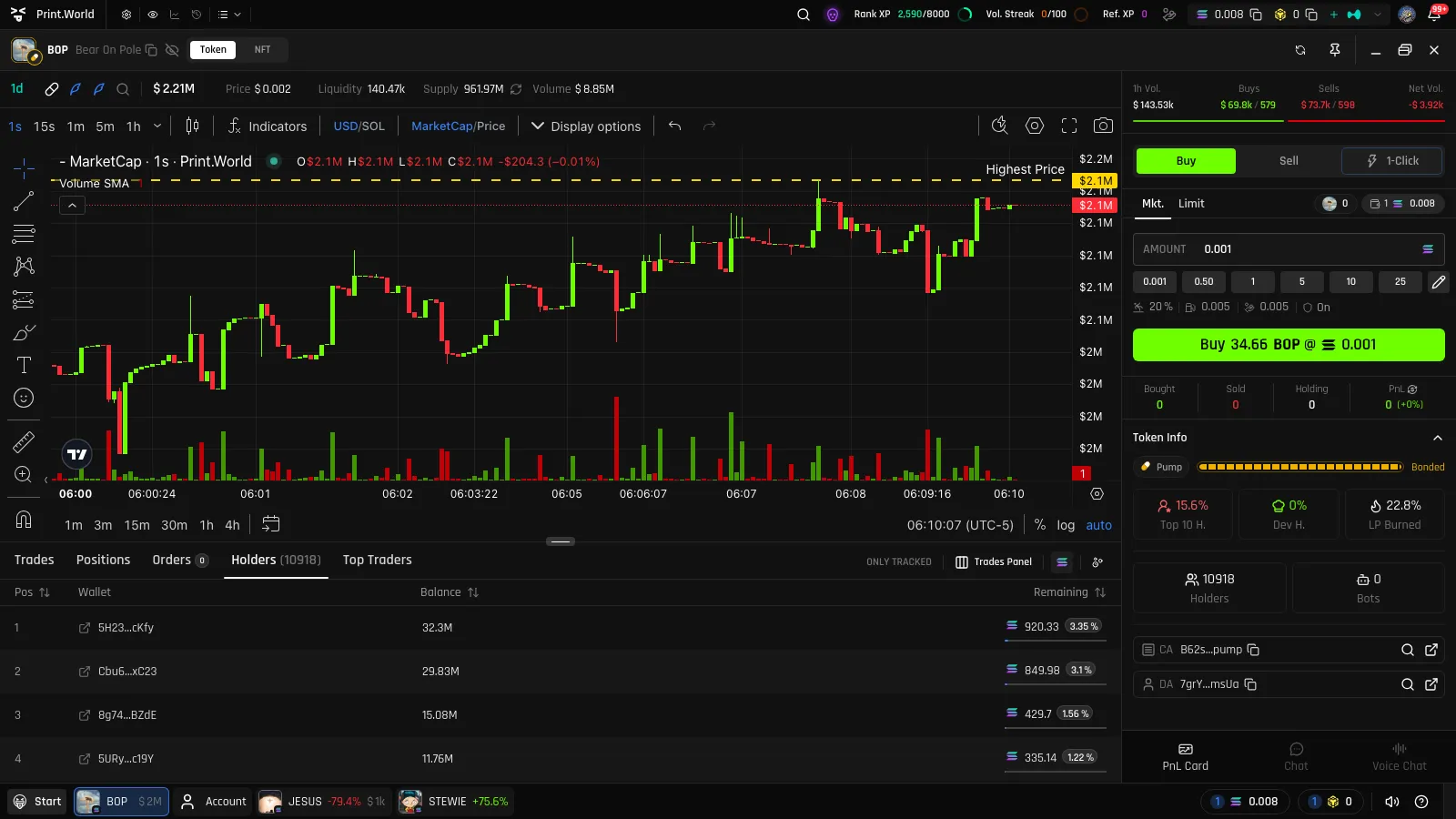
Section titled “Holders”The token’s current holder list, updated live, with the total holder count in the tab.
| Column | What it shows |
|---|---|
| Pos | Rank by balance |
| Wallet | The holder’s wallet |
| Balance | Current token balance |
| Remaining | How much of what the wallet ever bought it still holds |
Use it to gauge concentration: a token where the top rows hold most of the supply behaves very differently from one with broad distribution.
Bubble Maps
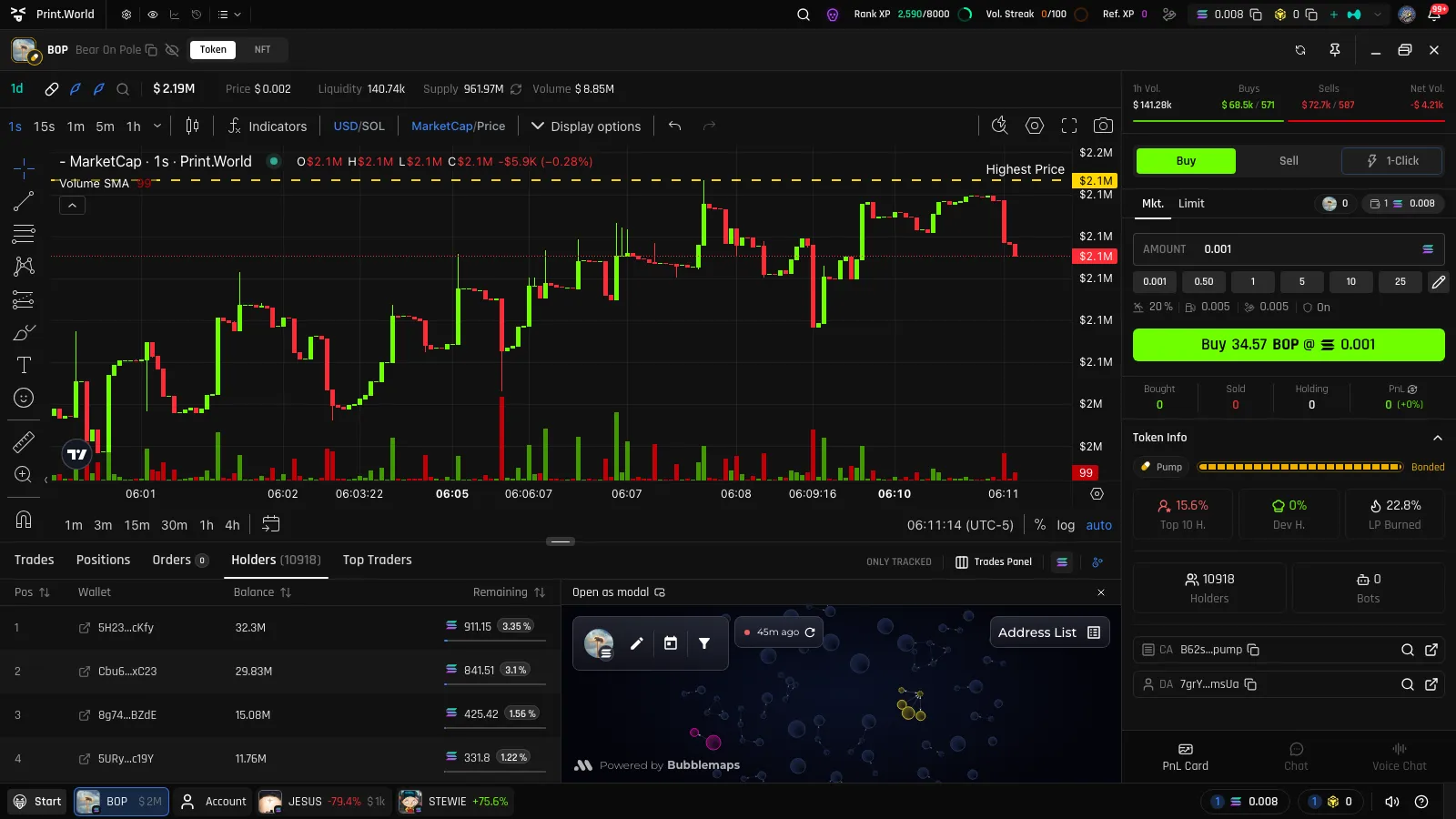
Section titled “Bubble Maps”For a visual read on distribution, open the bubble map — a graph view of holders where bubble size reflects balance and connections reveal related wallets. It’s available as a panel on desktop and as its own tab on mobile.
Top Traders
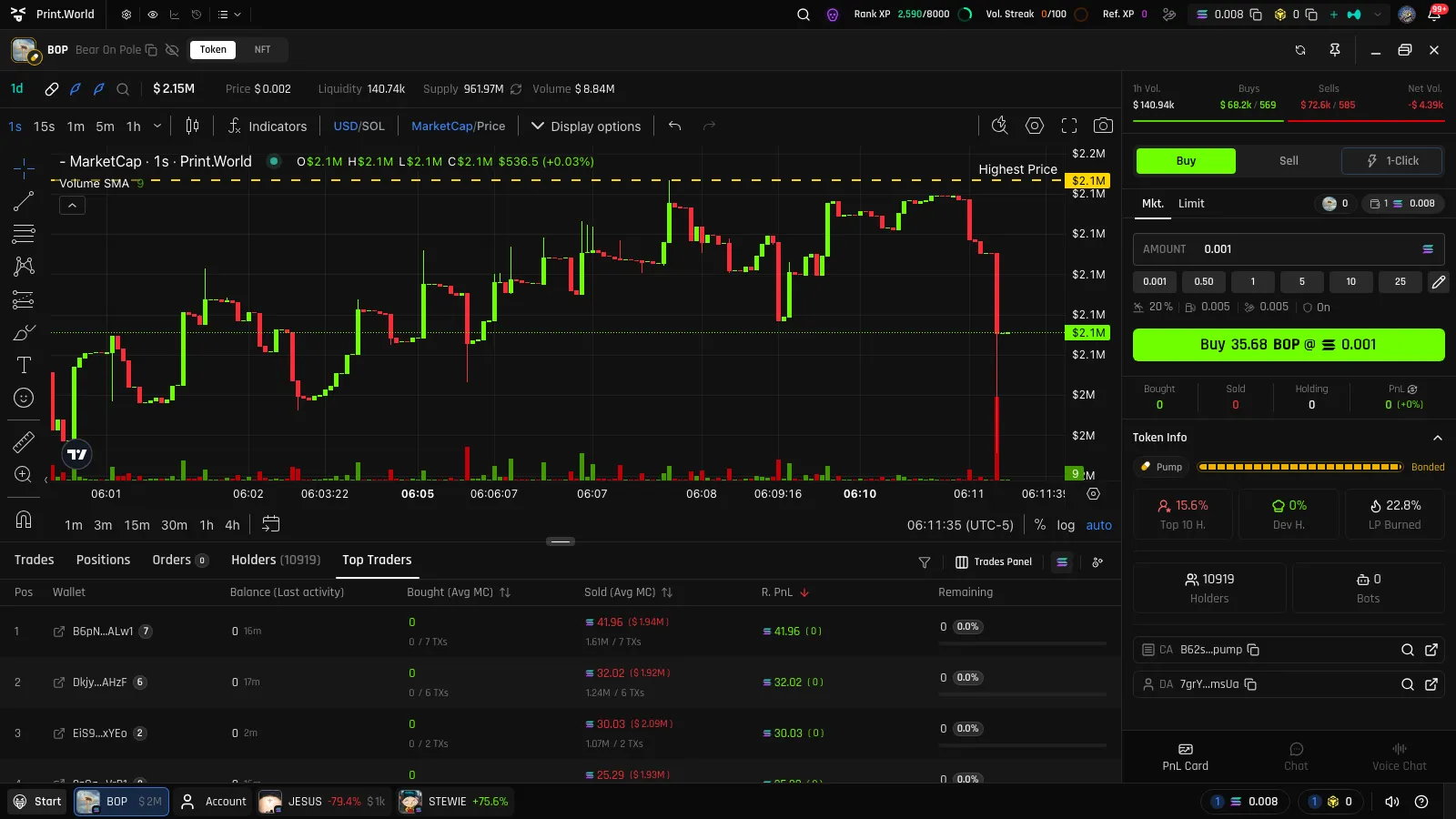
Section titled “Top Traders”A performance leaderboard for the token: who made (or lost) what.
| Column | What it shows |
|---|---|
| Pos | Rank |
| Wallet | The trader |
| Balance (Last activity) | Current balance and when the wallet last traded |
| Bought (Avg MC) | Total bought, with the average market cap of the buys |
| Sold (Avg MC) | Total sold, with the average market cap of the sells |
| Realized PnL | Profit locked in from completed sells — with unrealized P&L on remaining holdings alongside |
| Remaining | How much of the bought amount is still held |
Reading Bought (Avg MC) against Sold (Avg MC) tells you a wallet’s story at a glance — early buyer who sold into strength, or late buyer still holding. See P&L Tracking for how realized and unrealized P&L are defined.
Your Positions and Orders
Section titled “Your Positions and Orders”Two more tabs appear alongside the research tables when you’re signed in:
- Positions — your position in this token: bought, sold, remaining, and P&L, with a one-click sell action. See P&L Tracking.
- Orders — your limit orders on this token, with live status and manage actions. See Limit Orders.
Tokens with vesting schedules also show a Vesting tab — see Vesting & Unlocks.